
User Management
User Management
User management in a PMS involves setting up and administering user accounts and permissions. It includes defining user roles and assigning appropriate access levels to ensure data security and proper collaboration. User accounts are created, and permissions are assigned based on the roles and responsibilities of each user.
View Existing Users
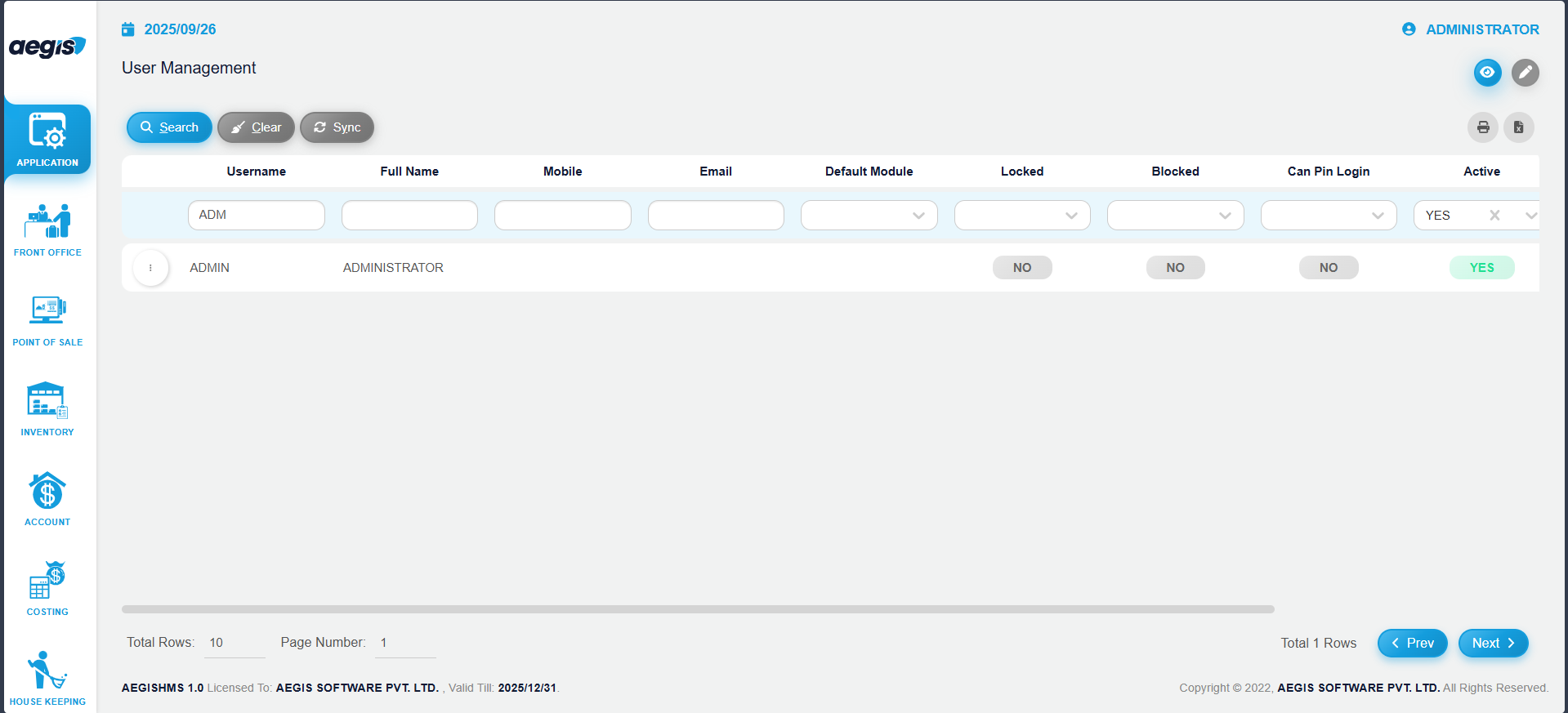
You will see the User List screen.
Here, you can:
-
View all users already added to the system
-
Search users by Full Name, Blocked, Locked, or other available filters using the header above the search bar
-
Click Search or press ALT + S to load results
Add New Users
To add a new user:
-
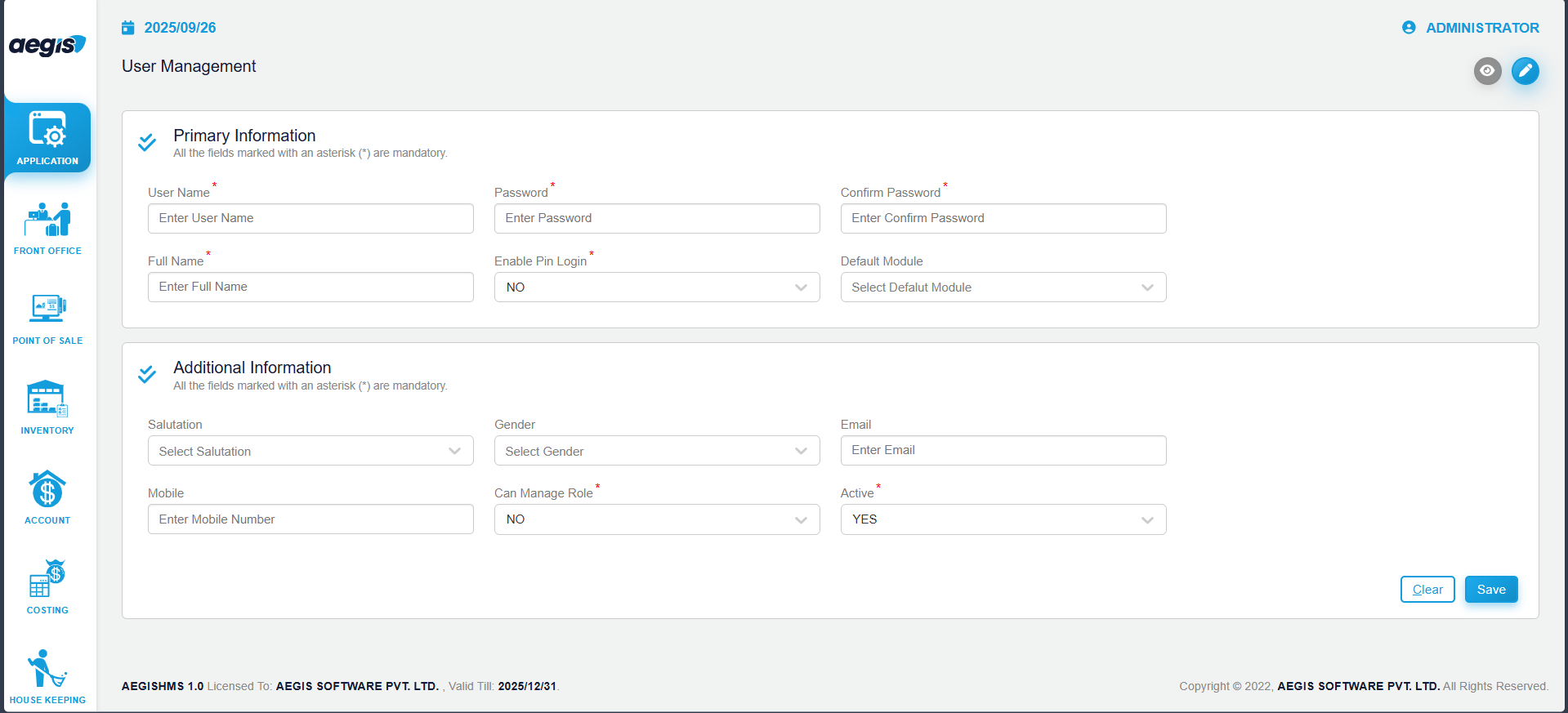
Press ALT + 2
-
The user creation form will appear
-
Fill in all required fields
-
Press CTRL + S to save the new user
The new user will now appear in the main user list.
Manage Existing Users
To update or manage an existing user:
-
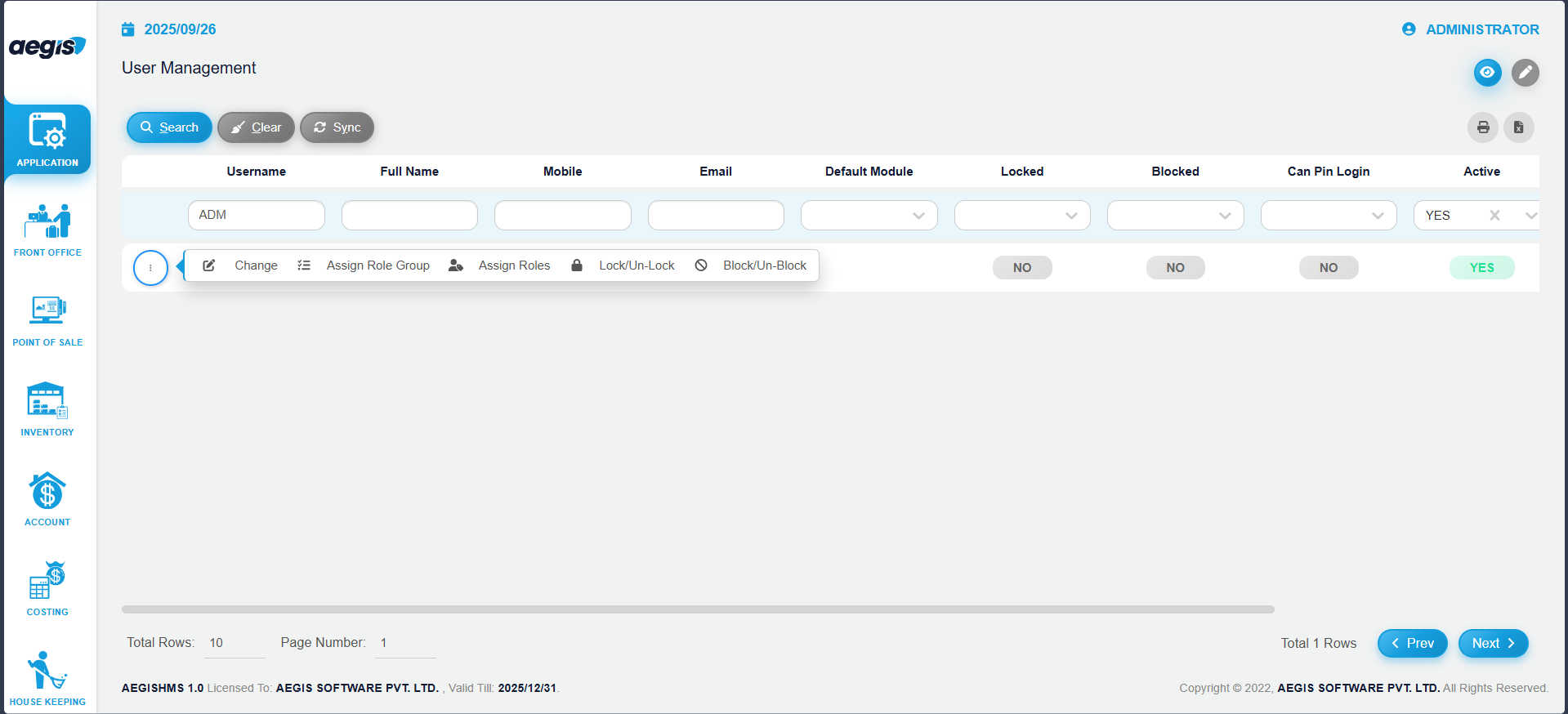
Click the three-dot menu on the left side of the user row
-
The following options will appear:
-
Change (Edit user information)
-
Assign Role Group
-
Assign Roles
-
Lock / Unlock User
-
Block / Unblock User
-
Note: Assigning individual Roles is not recommended.
Always use Role Groups for better control and standardization.
No Comments