
Message Report
Message Report
The Message Report in Aegis PMS provides a centralized, read-only view of all system messages. This screen is primarily used to monitor and track messages, ensuring important communications are acknowledged and properly attended.
It does not allow creating or editing messages—those actions are performed in the MESSAGE Management module.
Purpose of Message Report
The Message Report is used for:
-
Viewing system-generated and user-created messages
-
Tracking unattended and attended messages
-
Ensuring important notifications are acknowledged
-
Maintaining accountability for internal communication
Typical message types include:
-
Notifications: Gate pass updates, system alerts, security notices
-
Internal Messages: Inter-department or staff communications
-
Reminders: Pending tasks, approvals, or action deadlines
Access Message Report
To open the Message Report:
You will see the report screen displaying all messages (by default, unattended messages) with search and filter options.
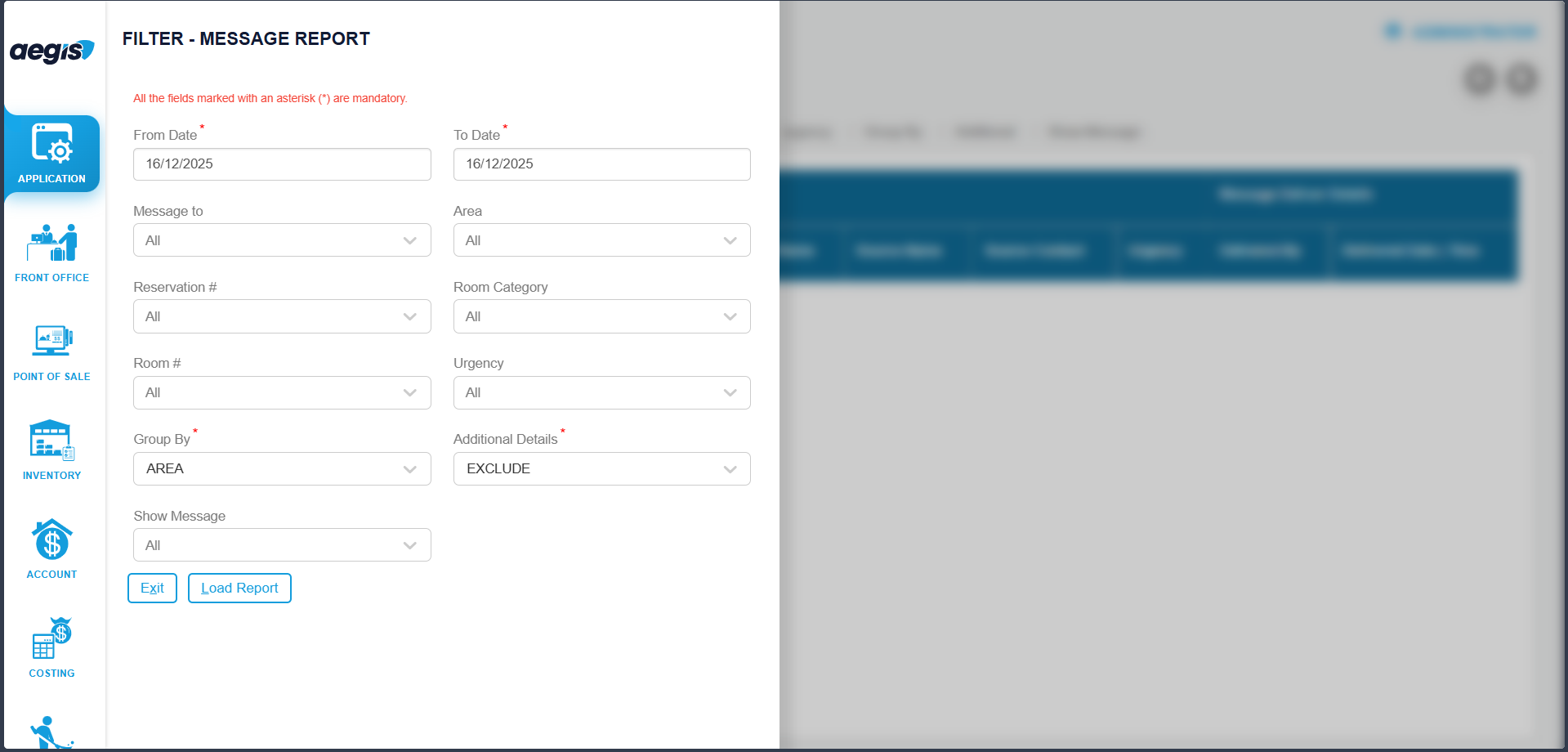
View Messages
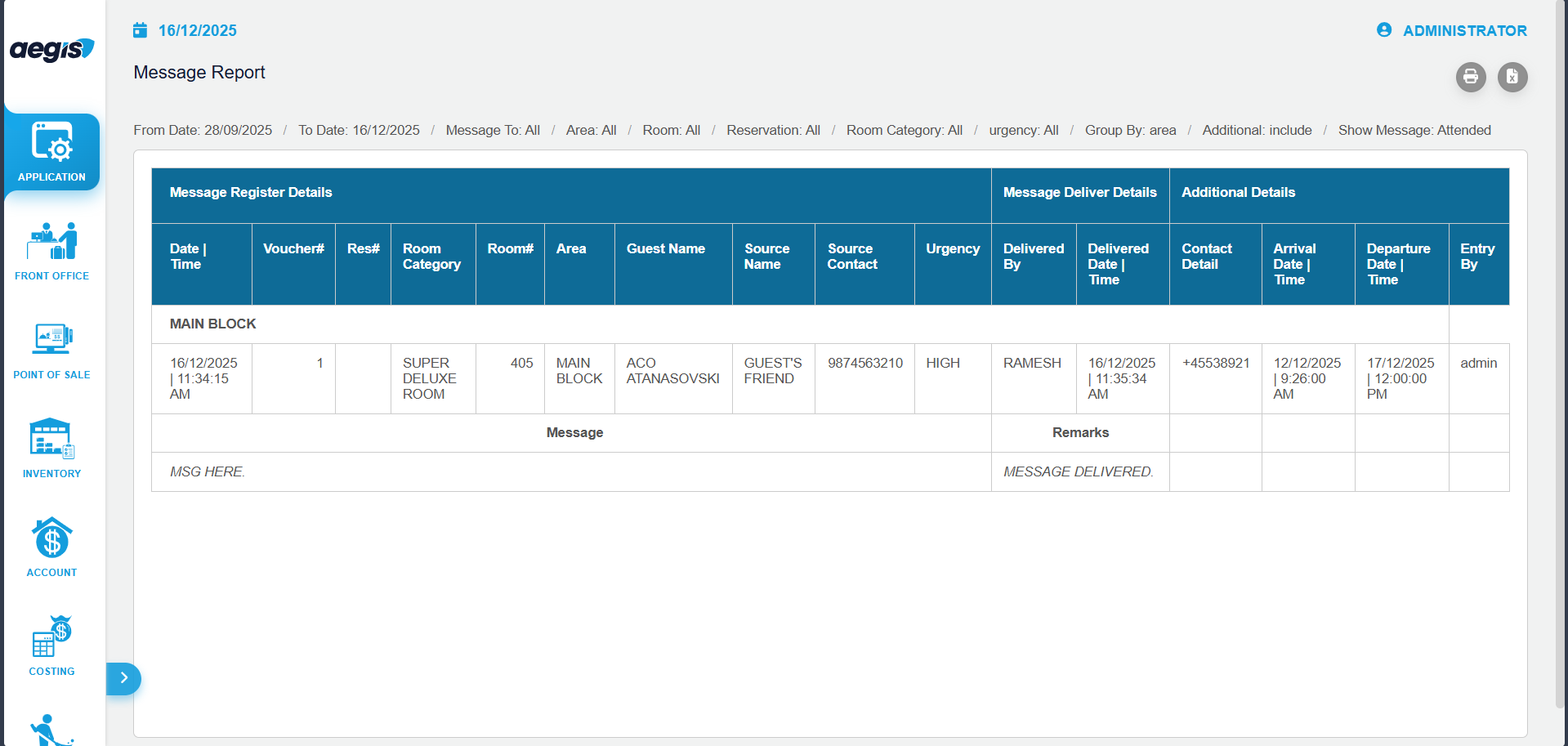
From this screen, you can:
-
View all messages currently pending or attended
-
Search messages using available fields such as User, Date, or Status
-
Filter messages to quickly locate specific records
-
Its status will update to Attended in the report
-
Attended messages can be reviewed but not modified
The report provides a complete overview of message activity for audit and operational review.
Important Notes
-
This screen is view-only; new messages cannot be added here
-
Messages cannot be edited from this report
-
Access should be limited to authorized users
-
Use this report for monitoring message flow, accountability, and internal communication audits
No Comments