
Complaint
COMPLAINT Management
The COMPLAINT feature in Aegis PMS provides a structured way for users to report, track, and resolve issues within the organization. This helps ensure problems are addressed quickly and transparently while maintaining a clear record of each complaint.
The COMPLAINT module is typically used for:
-
Reporting Issues: Users can submit system errors, operational problems, service concerns, or security-related issues.
-
Tracking Resolution: Each complaint can be monitored from creation to resolution, ensuring accountability and timely handling.
-
Communication: Allows staff to raise concerns or feedback related to processes, departments, or services within the company.
Access Complaint Module
To manage complaints:
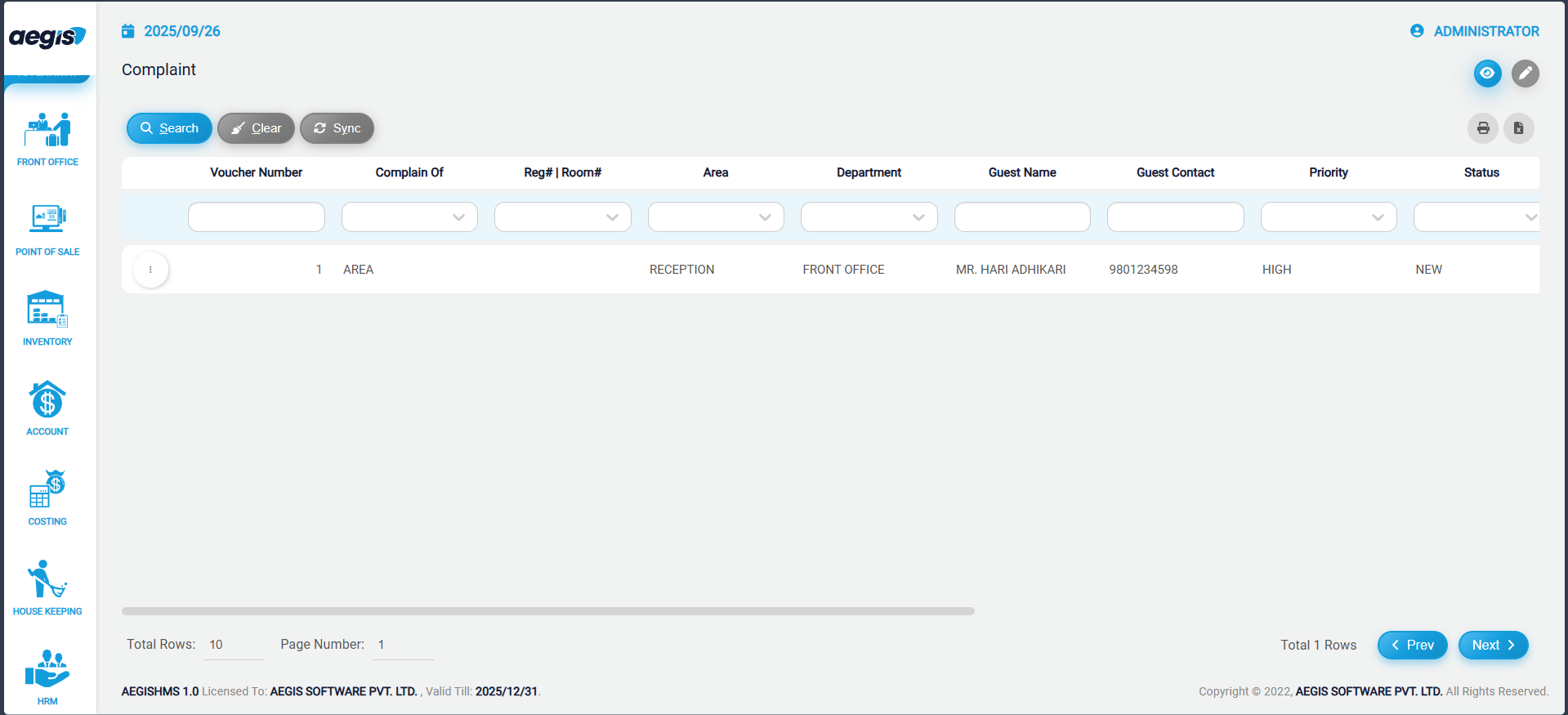
This screen displays all complaints that have been created but are still unresolved / unattended.
Add a New Complaint
To register a new complaint:
-
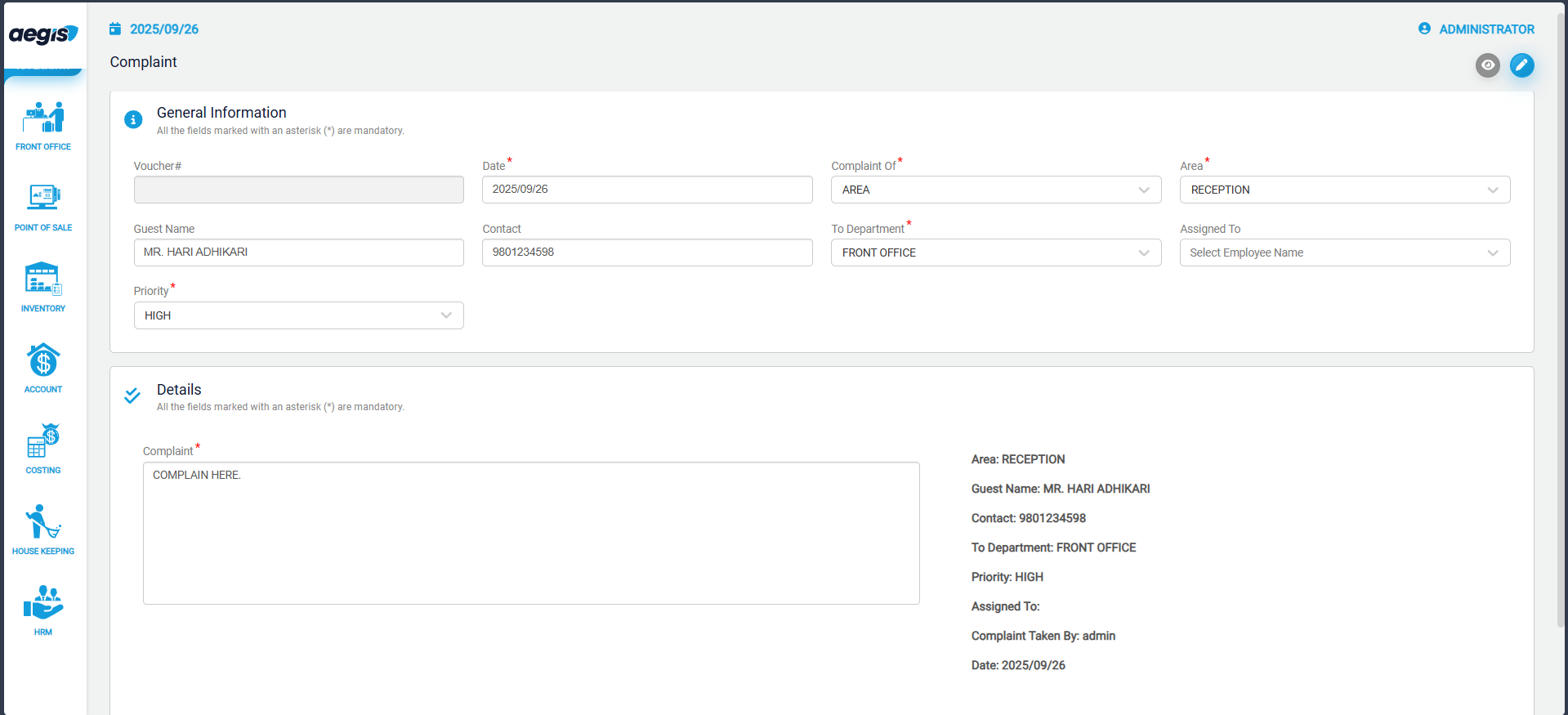
Click the pencil icon or press ALT + 2
-
Enter the required complaint details (department, description, priority, etc.)
-
Save the complaint
Once saved, the complaint becomes visible on the list for follow-up.
Attend or Resolve a Complaint
After a complaint has been handled:
-
Use the search fields to locate the complaint
-
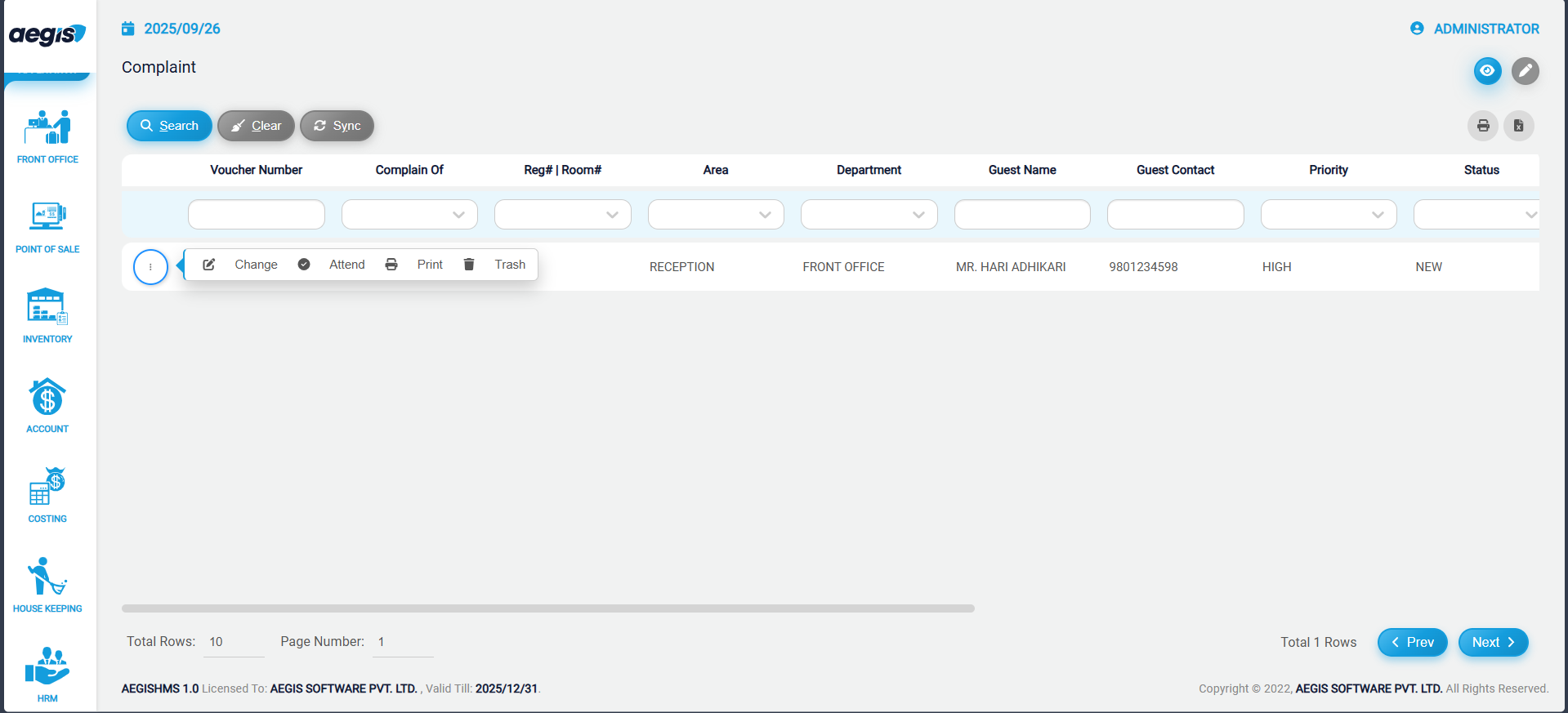
Click the three-dot menu on the left of the complaint row
-
Select Attend to mark it as addressed
This updates the complaint status and removes it from the pending list.
No Comments