
Data Dump Report
Data Dump Report
The Data Dump Report in Aegis Software is a data export utility used to extract large volumes of system data in a structured format. This report is primarily used to export data for ReviewPro and Fairmas systems for analysis, reporting, and business intelligence purposes.
The Data Dump Report plays a critical role in:
-
Integrating Aegis data with external reporting tools
-
Supporting management analysis and performance reviews
-
Ensuring accurate data sharing with third-party platforms
-
Reducing manual data preparation and errors
Access Data Dump Report
To open the Data Dump Report:
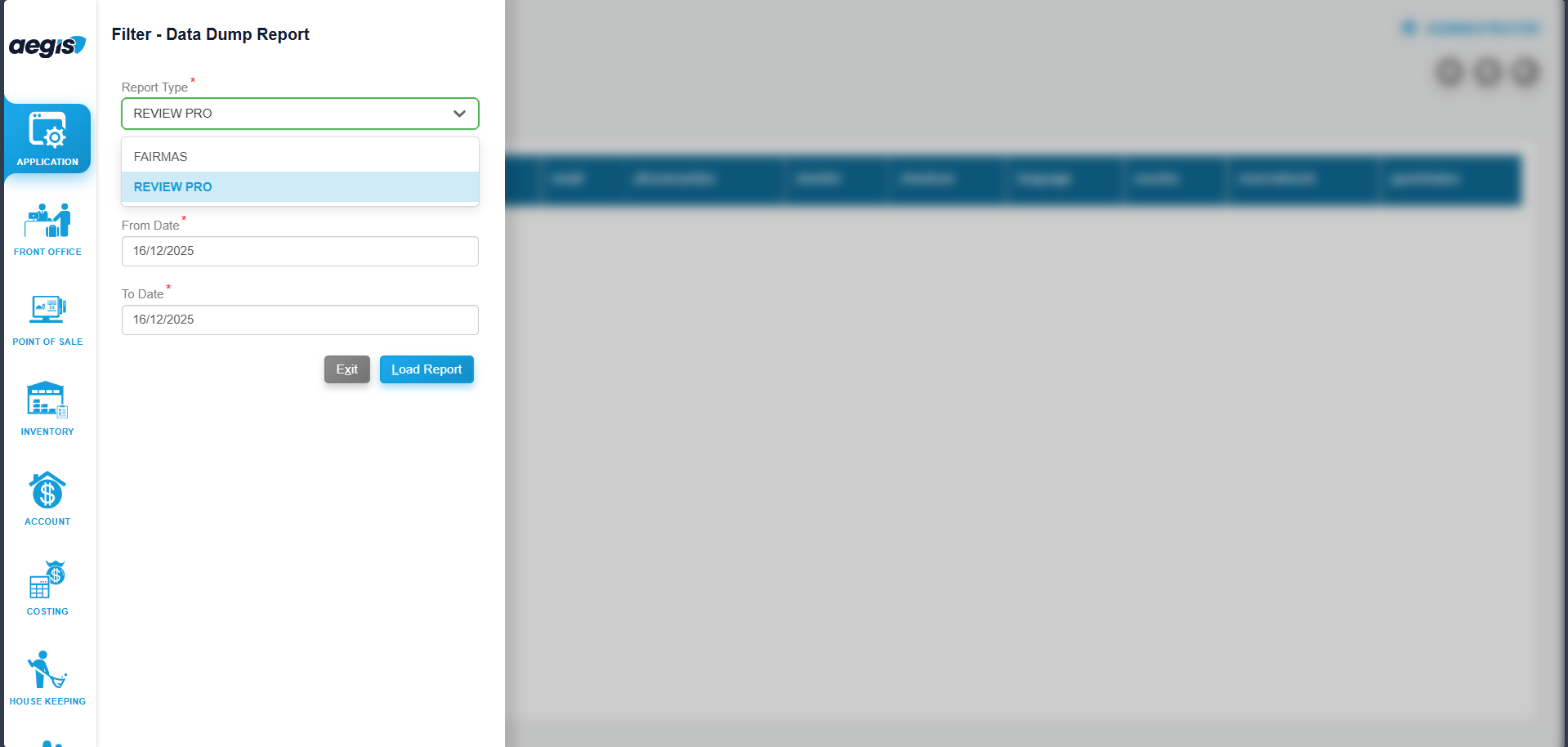
You will see the Data Dump Report screen with available filter options.
Filter Options
Before exporting data, apply the required filters to control the output:
-
From Date: Select the start date for data extraction
-
To Date: Select the end date for data extraction
-
Report Type: Choose the required format (e.g., ReviewPro, Fairmas)
After selecting the filters:
Click Load or press ALT + L to generate the report data.
View Loaded Data
Once the report is loaded:
-
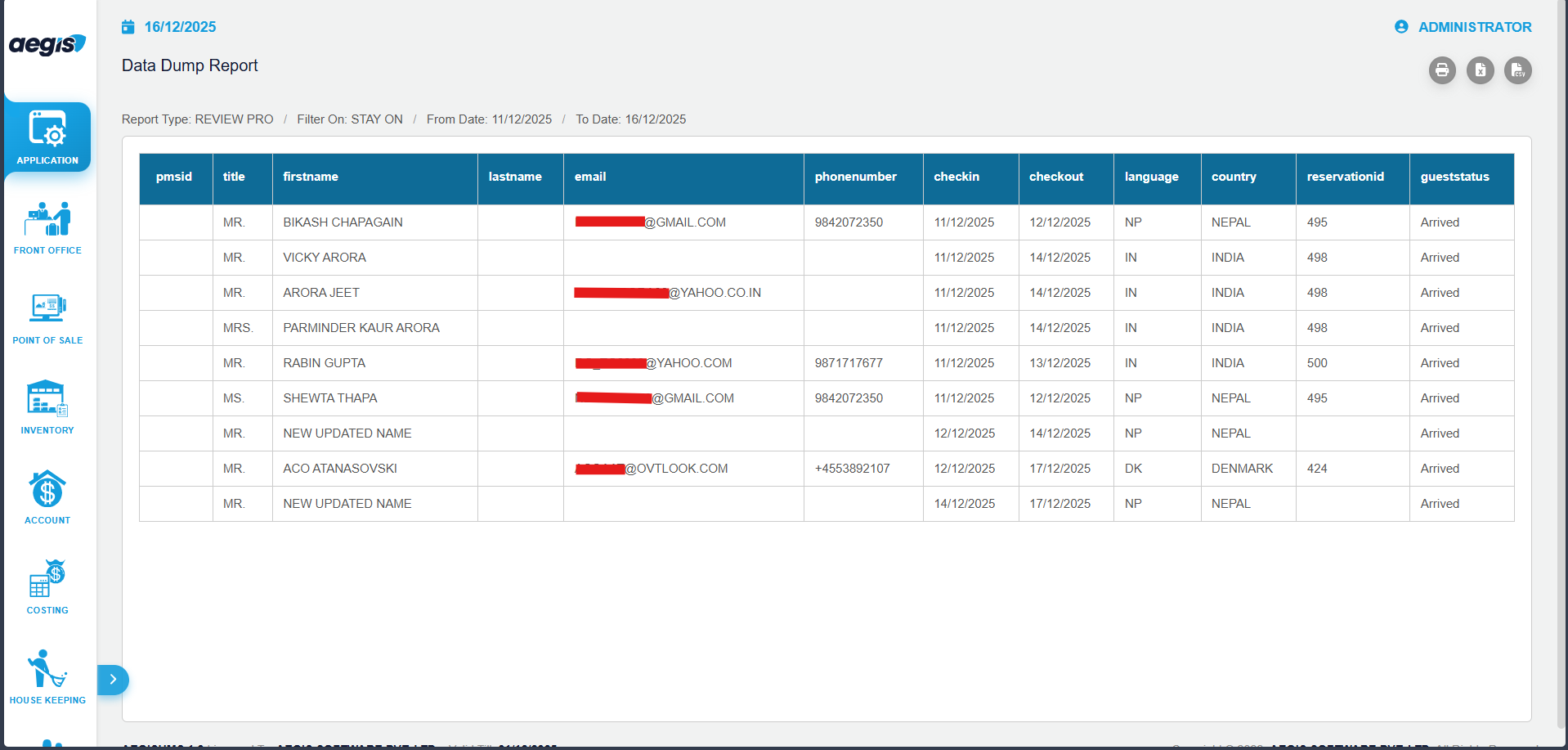
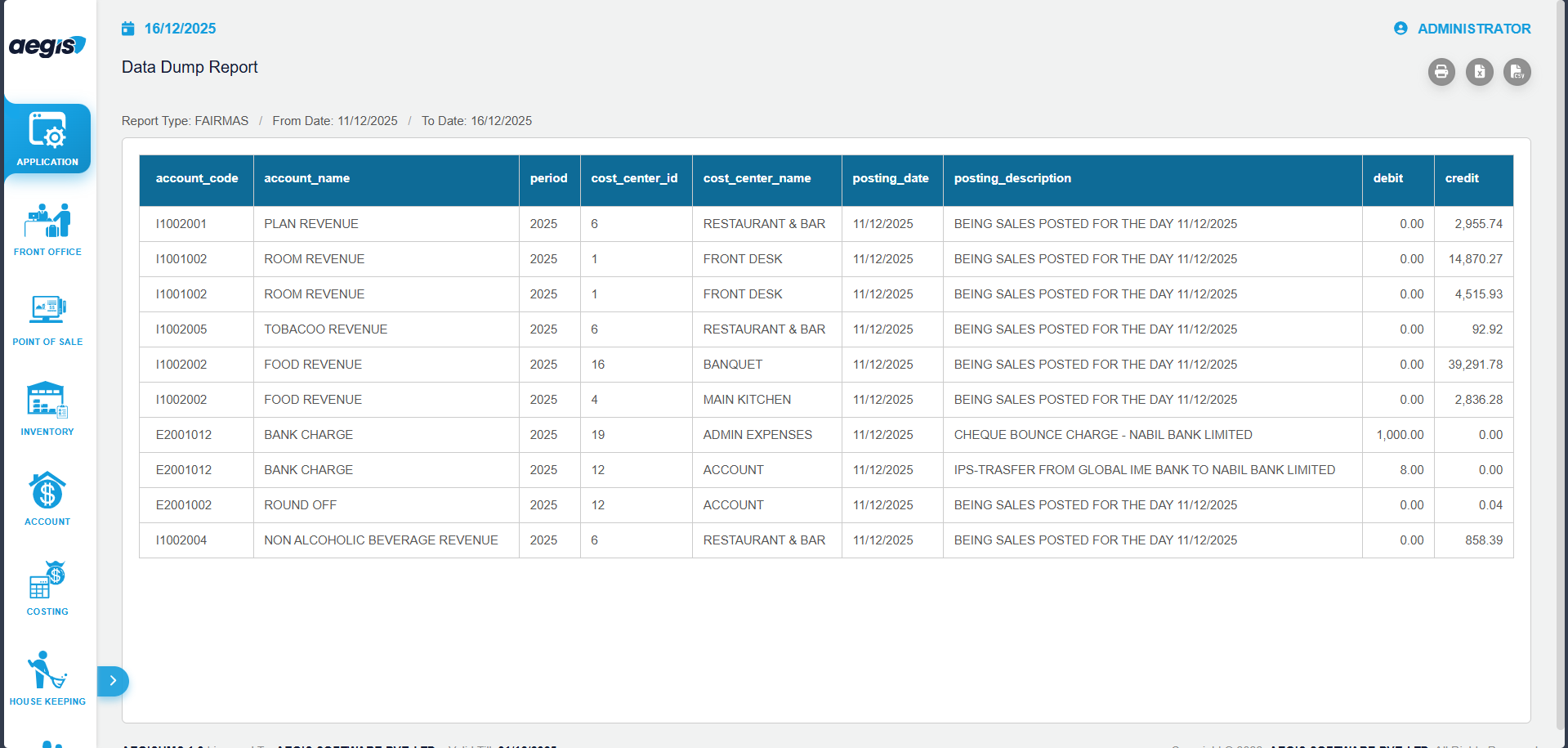
The system displays the extracted data based on the selected filters
-
Review the data to ensure accuracy before exporting
-
Verify date range, record count, and data fields
- For export click on CSV icon which is below of user's full name.
Review Pro -
Fairmas -
Export Data
After verifying the loaded data:
-
Click the Export button
-
Choose the required file format
-
Save the file to your local system
-
Upload the exported file to the respective external system (e.g., ReviewPro, Fairmas)
Important Notes
-
Data Dump Report is intended for data export only
-
The exported data should be reviewed before uploading to third-party systems
-
Access should be restricted to authorized users due to data sensitivity
-
Large date ranges may take longer to process
No Comments