
Bill Header Update
Bill Header Update
The Bill Header Update feature in Aegis Software allows authorized users to update or remove the Company Name displayed in the header section of billing documents and invoices. This ensures that invoices reflect the correct company identity for printing and official use.
This module is specifically used for:
-
Updating / Removing Company Name: Modify or remove the company name shown on bill and invoice headers
-
Ensuring Accuracy: Maintain correct company name display for billing, accounting, and audit purposes
Access Bill Header Update
To update the bill header company name:
Navigate to:
Application → Tools → Bill Header Update
You will see the Bill Header Update screen.
Click on the Bill Header Update icon to open the module.
Update Company Name
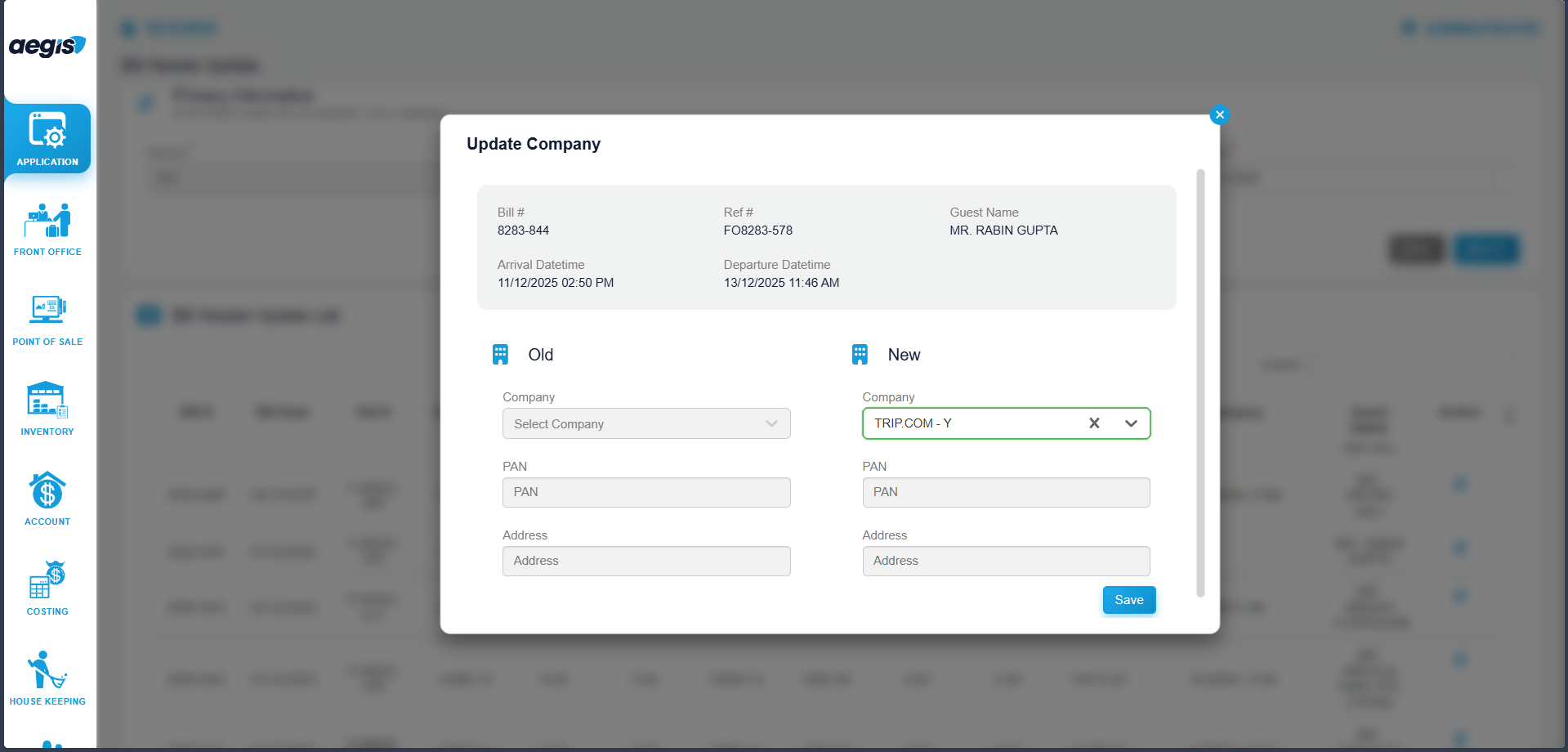
To edit the company name:
-
Locate the required bill using the available search options
-
Select the bill from the list
-
Edit the Company Name field (this is the only editable field)
-
Save the changes
The updated company name will be reflected in the bill header during printing and reporting.
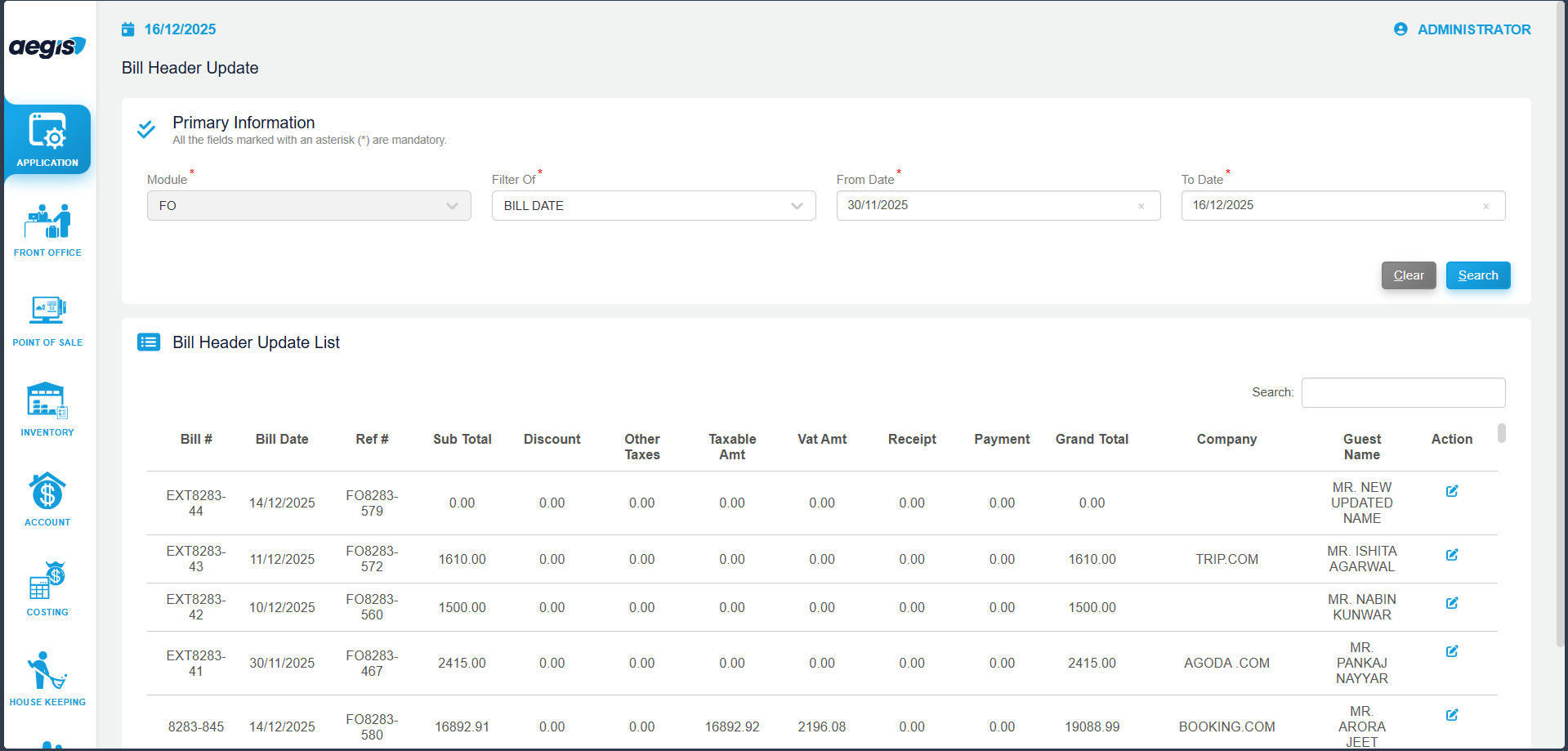
Click On Edit Icon then -
Important Notes
-
Only the Company Name field is editable in this module
-
Other bill header details cannot be modified
-
Changes affect invoice printouts and official billing documents
-
Access to this feature should be limited to authorized users only.
No Comments