
Activity Log
Activity Log
The Activity Log in Aegis Software records and tracks all significant actions performed within the system. It provides a detailed history of user activities, enabling administrators to monitor system usage, review changes, and maintain a reliable audit trail for accountability and transparency.
The Activity Log is commonly used for:
-
Tracking User Actions: Monitoring actions performed by users across different modules
-
Audit & Compliance: Maintaining a system-wide activity history for review and verification
-
Issue Investigation: Identifying when and by whom specific changes were made
-
Operational Transparency: Ensuring accountability across departments and users
Access Activity Log
To view system activity logs:
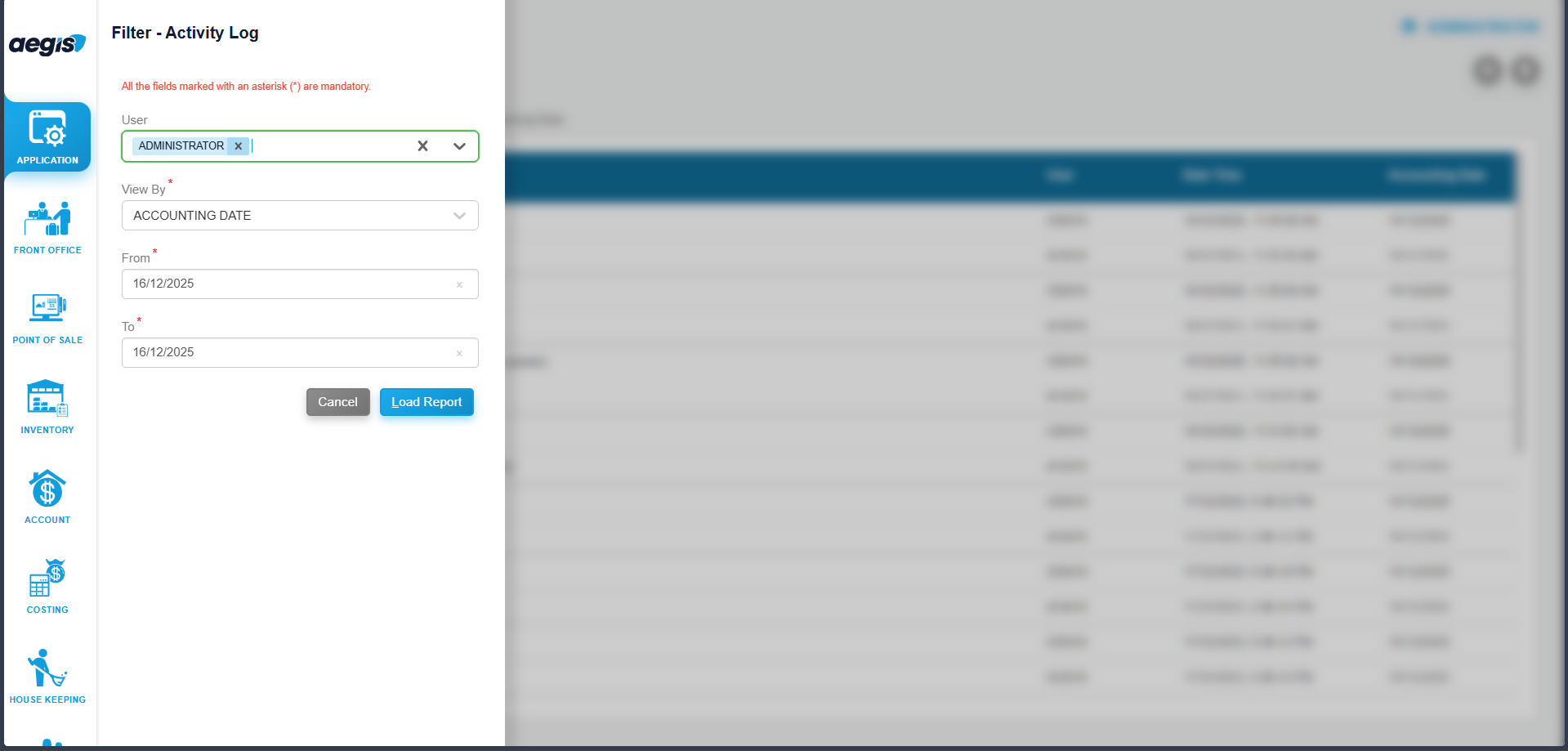
You will see the Activity Log screen with available search and filter options.
View User Activities
To view activities of a specific user:
-
Select the User from the user selection field
-
Choose the Date Type:
-
Accounting Date, or
-
System Date
-
-
Select the Date or Date Range
-
Click Search or press ALT + L
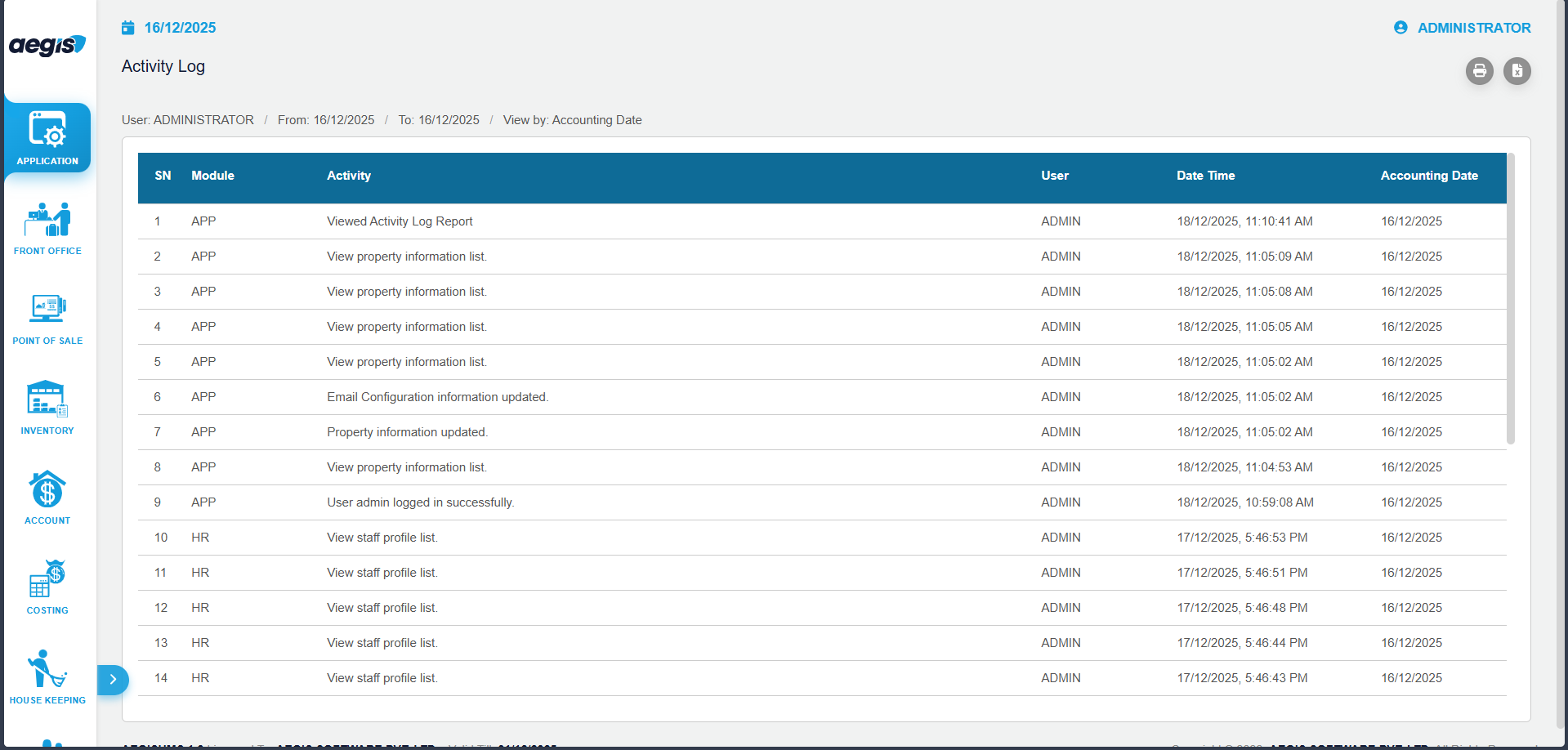
The system will display all recorded activities performed by the selected user within the selected period.
Activity Log Details
The Activity Log typically displays the following information:
-
User Name
-
Date and Time of Activity
-
Module / Screen Name
-
Action Performed (Add, Update, Delete, Login, Logout, etc.)
-
Reference or Transaction Details
Important Notes
-
Activity logs are system-generated and cannot be edited or deleted
-
Access to this report is restricted to authorized users only
-
Logs are useful for audits, troubleshooting, and internal system reviews
No Comments