
Complaint Report
Complaint Report
The Complaint Report in Aegis Software allows users to view and track complaints submitted within the system. It helps management monitor complaint status, types, and resolution progress.
Purpose
-
View complaints submitted by employees, clients, or customers
-
Track progress from submission to resolution
-
Generate summaries for management review
Access
You will see the report screen with search and filter options.
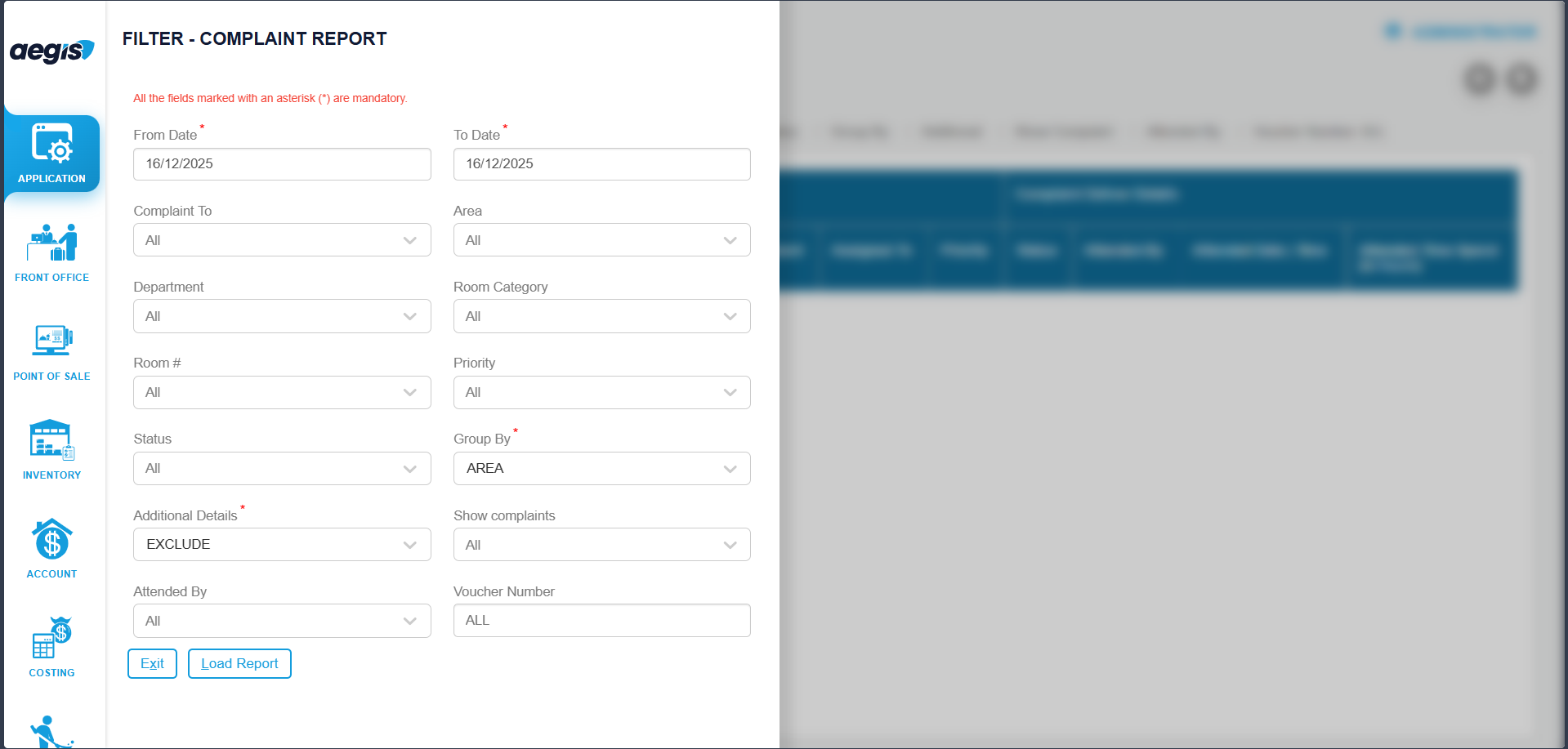
Filter & Load Report
-
Select User: Choose the user who filed the complaint
-
Select Date / Date Range
-
Click Search or press ALT + L
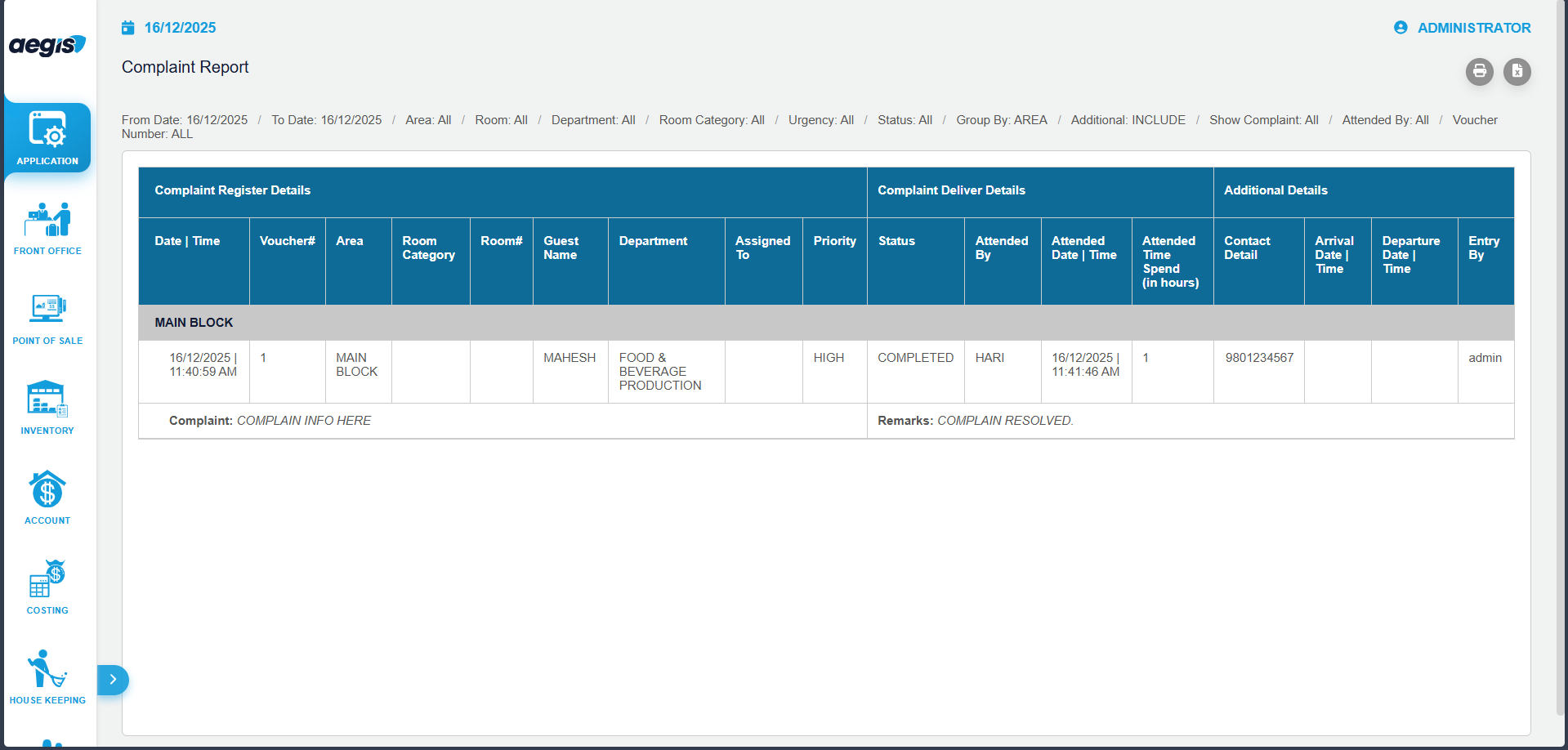
Report Output
-
Complaint Date & Time
-
Complaint Type / Category
-
User / Employee
-
Status (Pending / In Progress / Resolved)
-
Assigned Department or Staff
-
Resolution Remarks
Important Notes
-
Read-only report; complaints cannot be added or edited here
-
Access limited to authorized users
-
Useful for monitoring, follow-ups, and audits
No Comments