
Payslip Structure
Payslip Structure Report
The Payslip Structure Report in Aegis PMS provides a detailed overview of the salary configuration for each staff member. This report allows HR and payroll administrators to verify all addition and deduction heads, confirm attendance-related calculations, and review upcoming salary increments.
Accessing the Report
Location:
HRM → Report → Payslip Structure
-
The report screen displays all staff with their configured payslip structures
-
Filters are available to refine the data based on your reporting needs
Report Details
The report includes the following information for each staff member:
-
Staff Name
-
Department / Designation
-
Upcoming Increments: Displayed when Type = Upcoming filter is applied
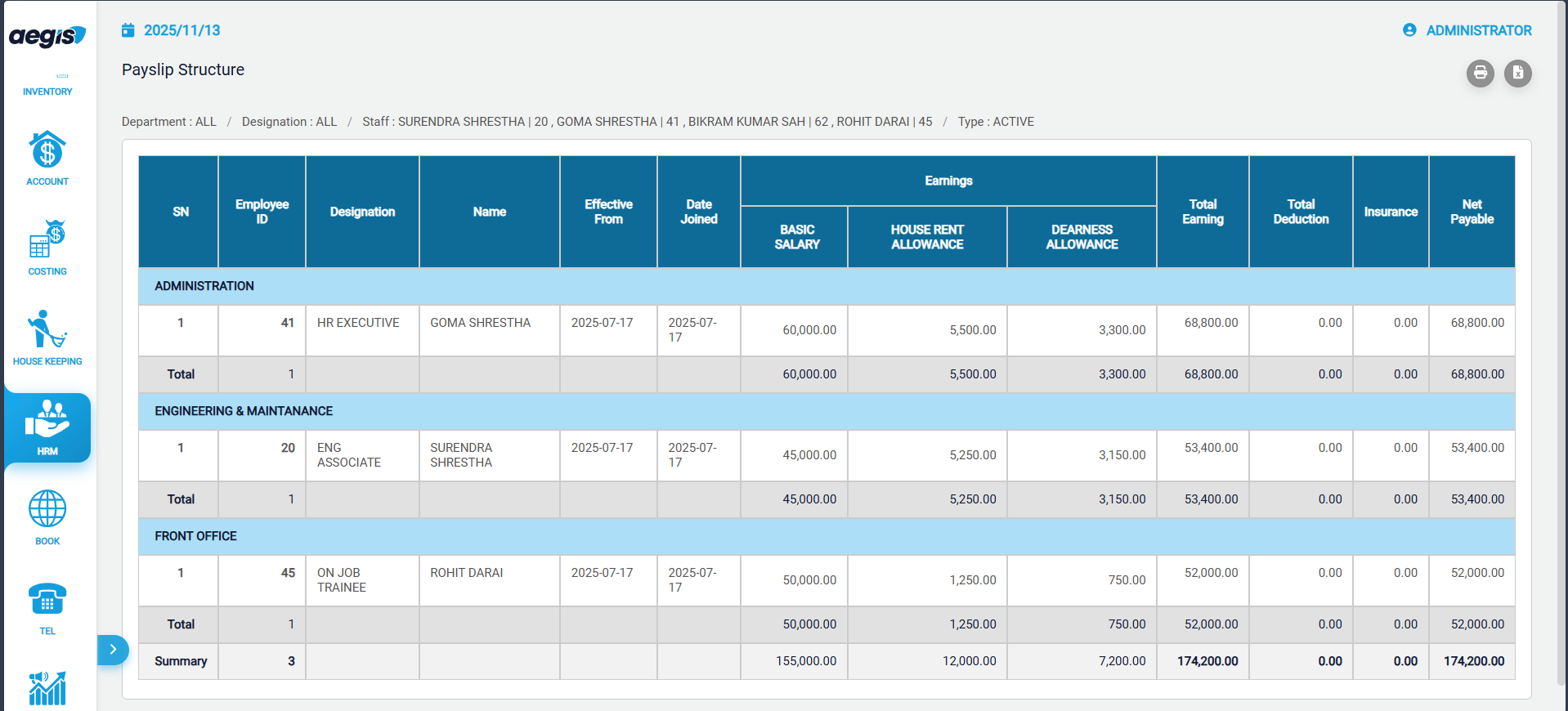
Filters & Options
-
Staff / Department: View specific staff or departmental data
-
Type: Select Current to view current structure or Upcoming to verify planned increments
-
Export / Print: Export report data to Excel or print for documentation and HR verification
Use Cases
-
Verify all addition and deduction heads of all staffs.
-
Check employee eligibility for upcoming increments.
-
Ensure compliance with statutory contributions such as PF, SSF, and insurance
-
Prepare for payroll audits or internal reviews.
Tip: Regularly review this report before payroll posting to minimize errors and avoid TDS miscalculations.
No Comments