
Bank Statement
Bank Statement Report
The Bank Statement Report in Aegis PMS allows administrators to generate official bank letters for salary disbursement. This report streamlines the process of salary transfer by creating a structured, printable document that can be submitted to banks.
Accessing the Report
Location:
HRM → Bank Statement
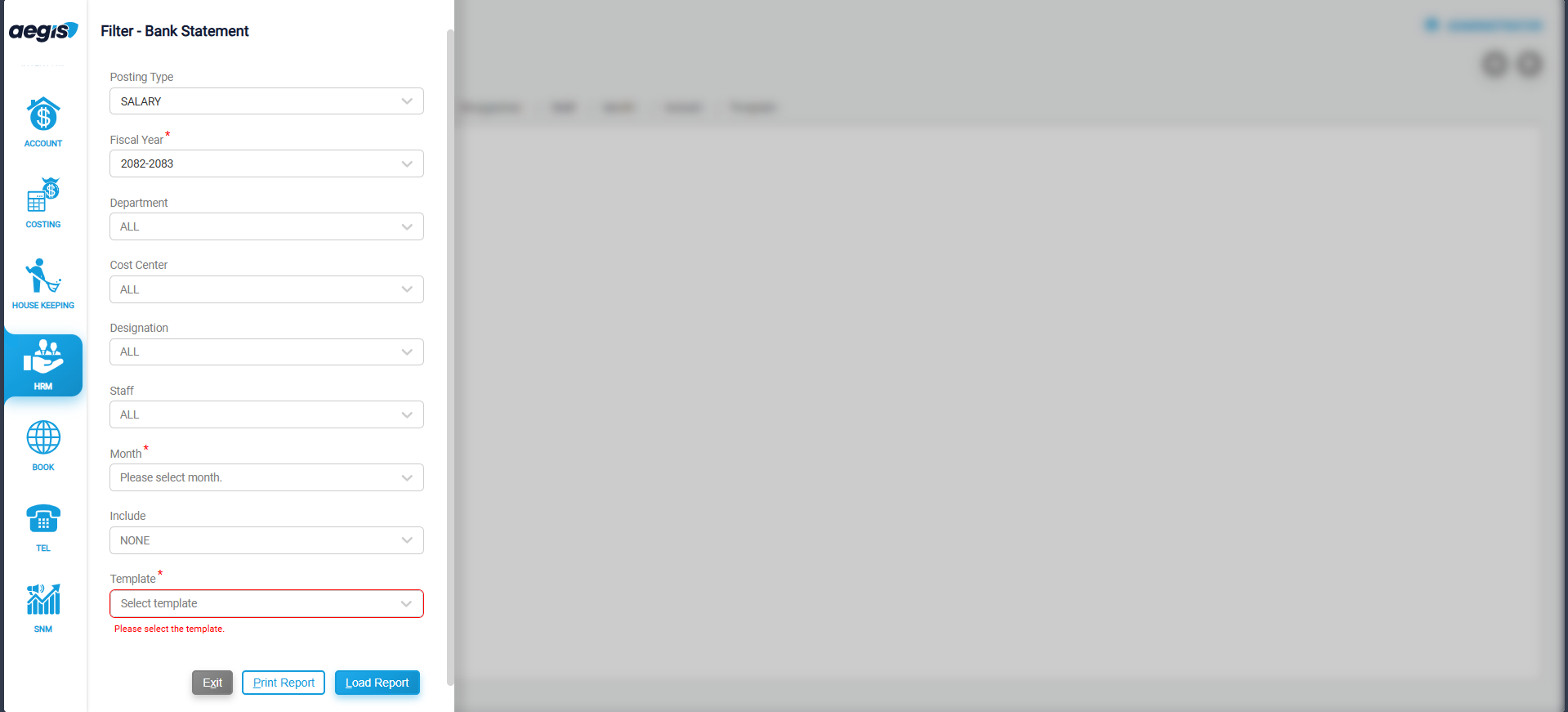
The report screen displays options to filter and generate the bank statement
Report Filters
You can refine the report using the following filters:
-
Posting Type: Select Salary or Wage to filter payroll transactions
-
Fiscal Year: Choose the fiscal year for which the report is required
-
Department: Filter by a specific department or select all departments
-
Cost Center: Select staff based on cost centers
-
Designation: Filter staff by job designation
-
Staff: Search for a specific staff member or multiple staff
-
Month: Select the month of payroll or payslip
-
Include: Additional options (e.g., Pan Number)
-
Template: Choose a report template
Generating the Bank Statement
-
Apply the required filters
-
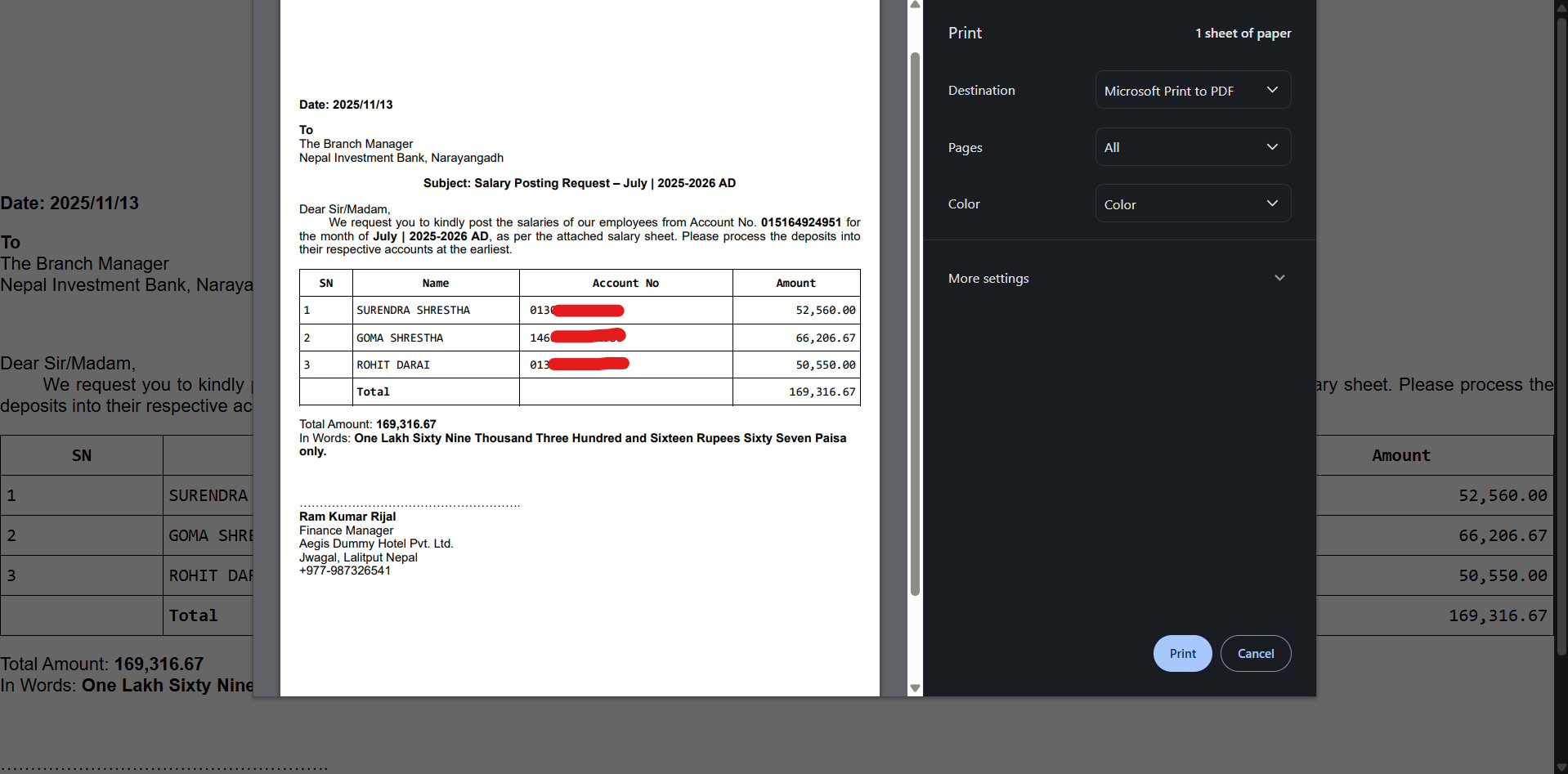
Click Print Report to print bank letter or Load Report to load report in web.
Printed Bank Letter. (you can customize bank letter as per your retirement)
Tip: Use this report to prepare official bank letters for salary transfer efficiently and ensure accuracy in payment distribution.
No Comments