
Payroll Head
Payroll Head Setup (Addition/Deduction Particular Heads)
The Payroll Head module in Aegis PMS allows administrators to define salary components used in payroll processing. These components include earnings (e.g., Basic Salary, Bonus) and deductions (e.g., PF, SSF, Advance). Proper configuration ensures accurate payroll calculation and statutory compliance.
Location:
HRM → Setup → Payroll Head
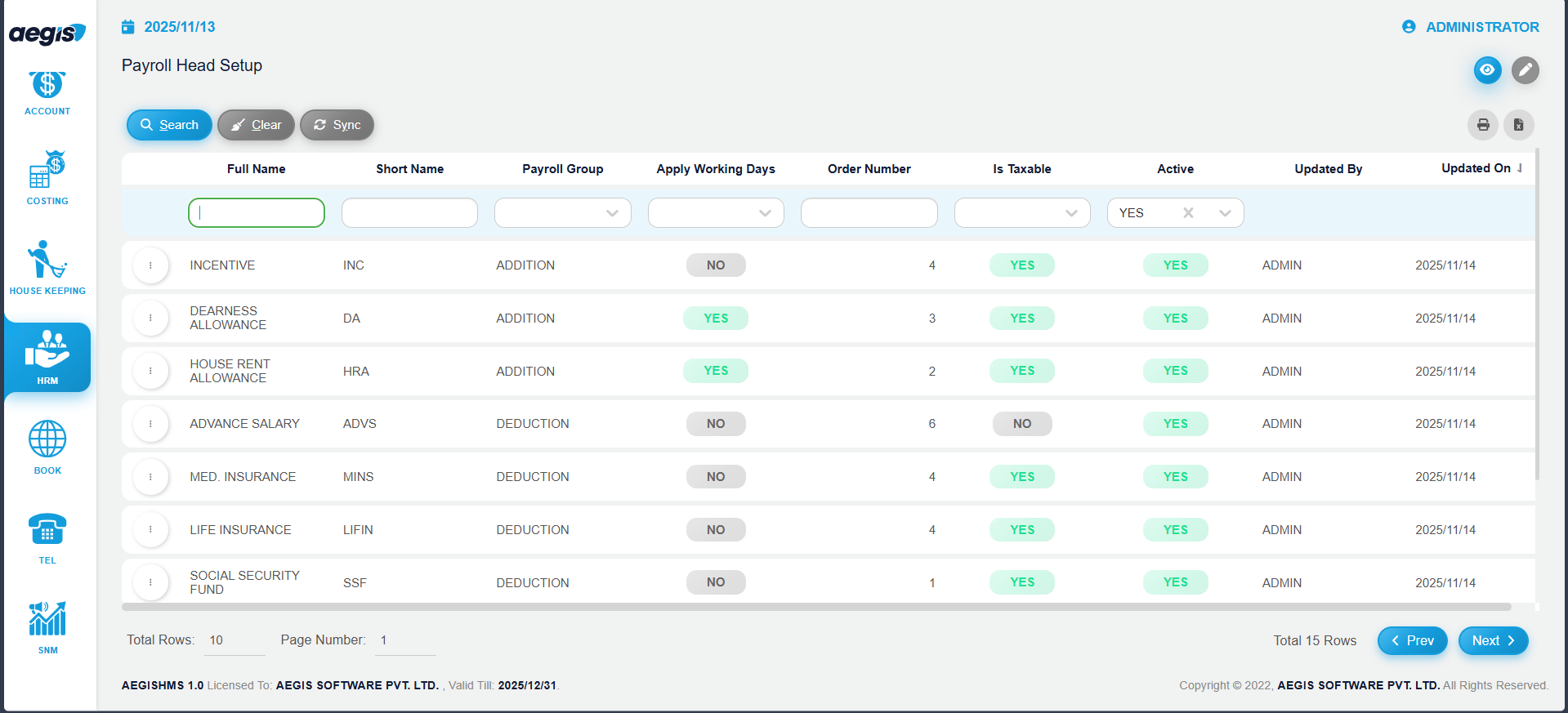
View Existing Payroll Heads
To view payroll heads already added:
Create a New Payroll Head
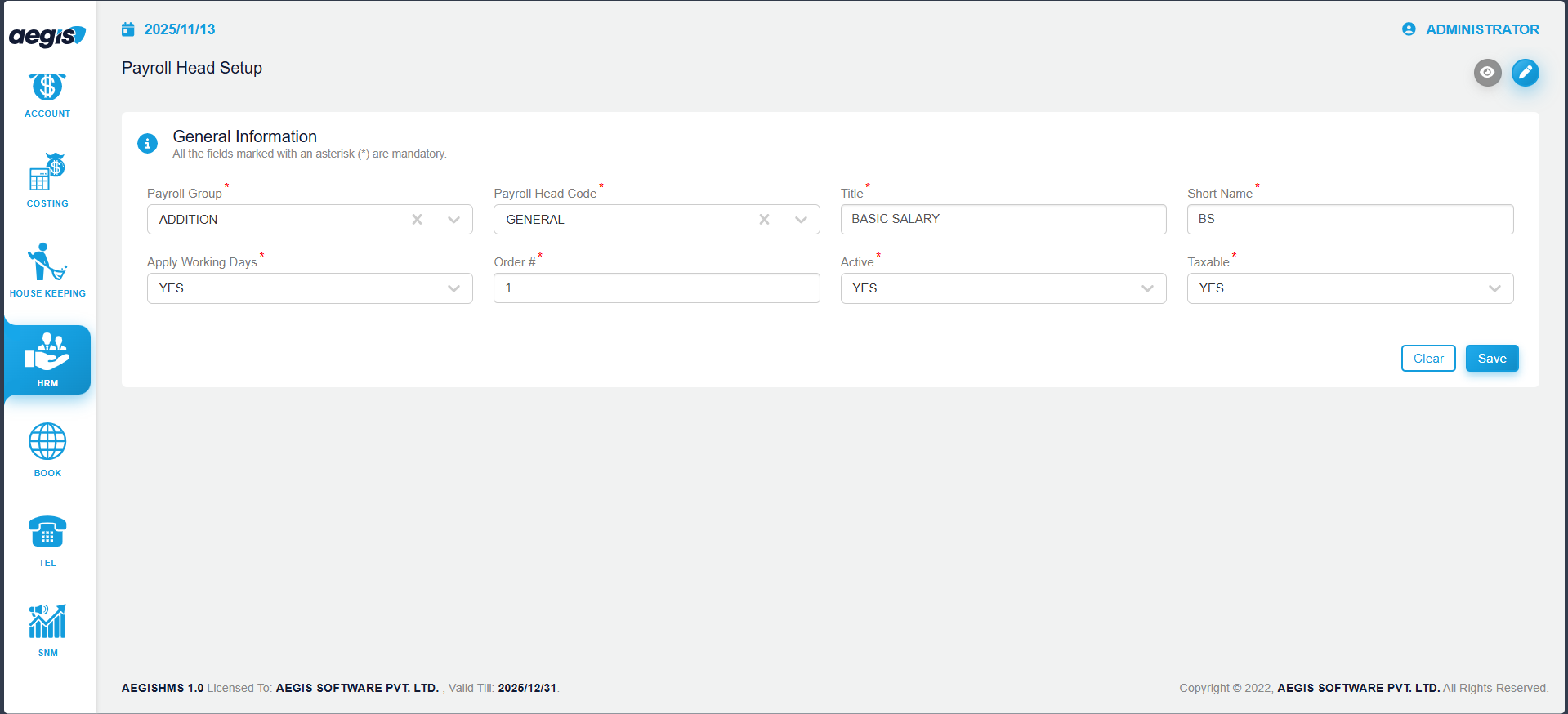
To add a new payroll head:
-
Go to HRM → Setup → Payroll Head
-
Click the pencil icon or press ALT + 2
-
Fill in the required details:
-
Title: Enter the name of the payroll head (e.g., Bonus, Basic Salary)
-
Short Name: Enter an abbreviation for reports and payslips
-
Apply Working Days:
-
Yes – Head is affected by attendance
-
No – Head is fixed regardless of attendance
-
-
Order #: Specify the order for appearance on the payslip
-
Active: Mark active if currently in use
-
Taxable – Addition: Mark Yes if this head contributes to taxable income
-
Taxable – Deduction: Mark Yes if this head decreases taxable income
-
-
Press CTRL + S to save the payroll head
Manage Existing Payroll Heads
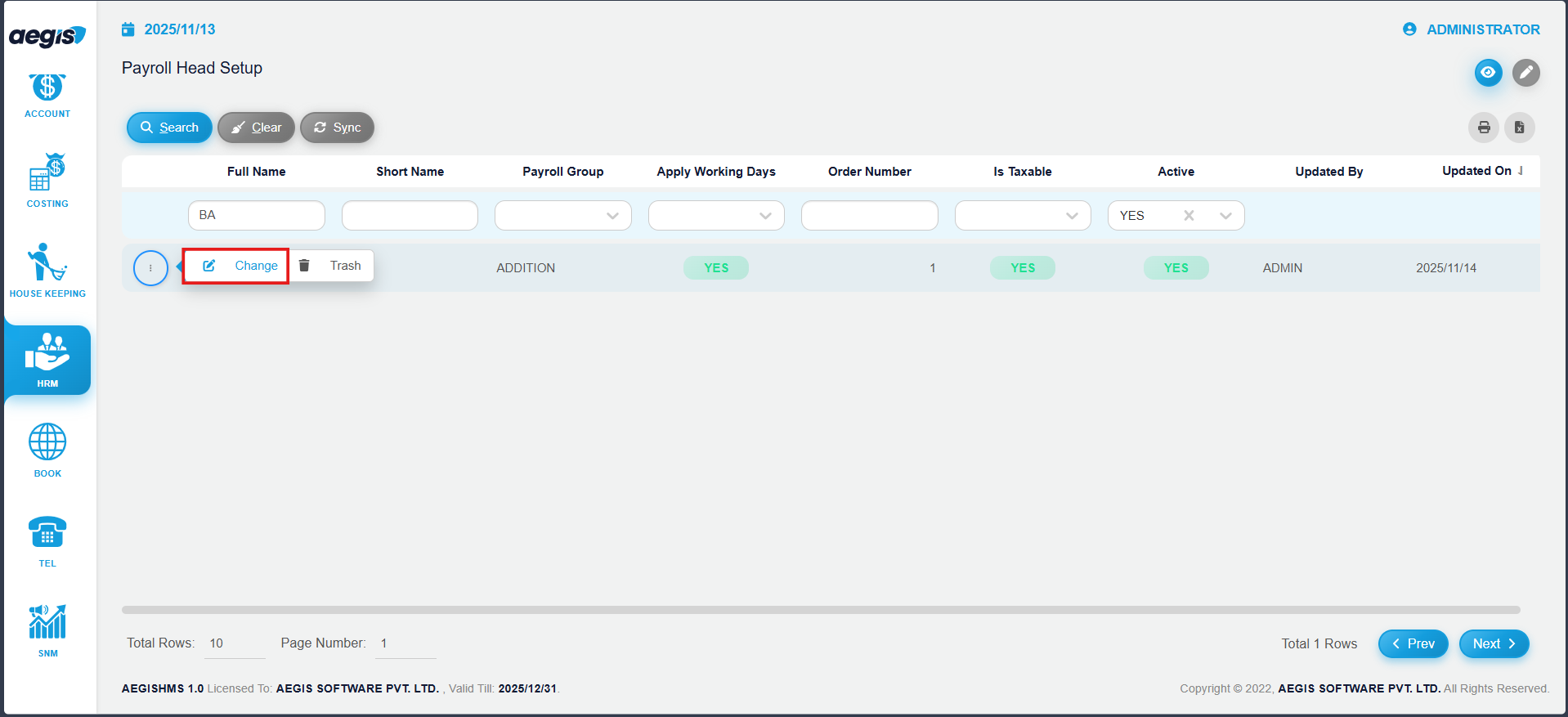
To update or manage an existing payroll head:
-
Search for the payroll head using the filters provided
-
Click the three-dot menu on the left side of the head’s row
-
Choose Change to edit details such as Title, Short Name, Working Days, Order, Active status, or Taxable settings
-
Press CTRL + S to save changes
Note: Any changes to a payroll head will automatically affect all employees to whom it is applied.
No Comments