
Payslip Structure
Payslip Structure Setup
The Payslip Structure module in Aegis PMS allows administrators to define how an employee’s salary is calculated and displayed on the payslip. This includes assigning addition and deduction heads to staff, applying government-specific tax rules, and ensuring accurate payroll computation.
View Existing Payslip Structures
Location:
HRM → Payslip Structure
To view payslip structures already configured:
-
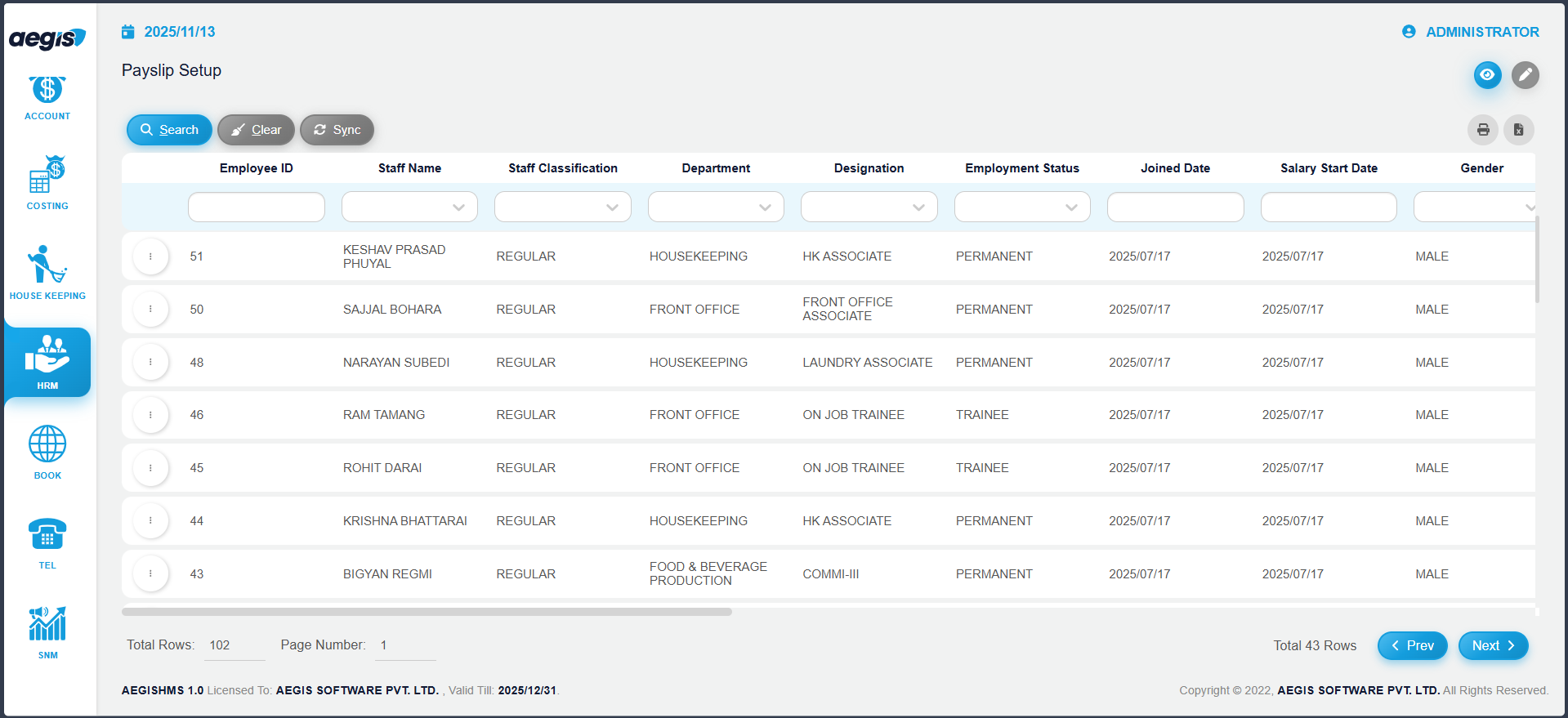
The screen will display a list of all staff with existing payslip structures
-
Use the search filters to find a specific staff member by Name, Department, or Status
-
Click Search or press ALT + S to display results
Create or Update a Payslip Structure
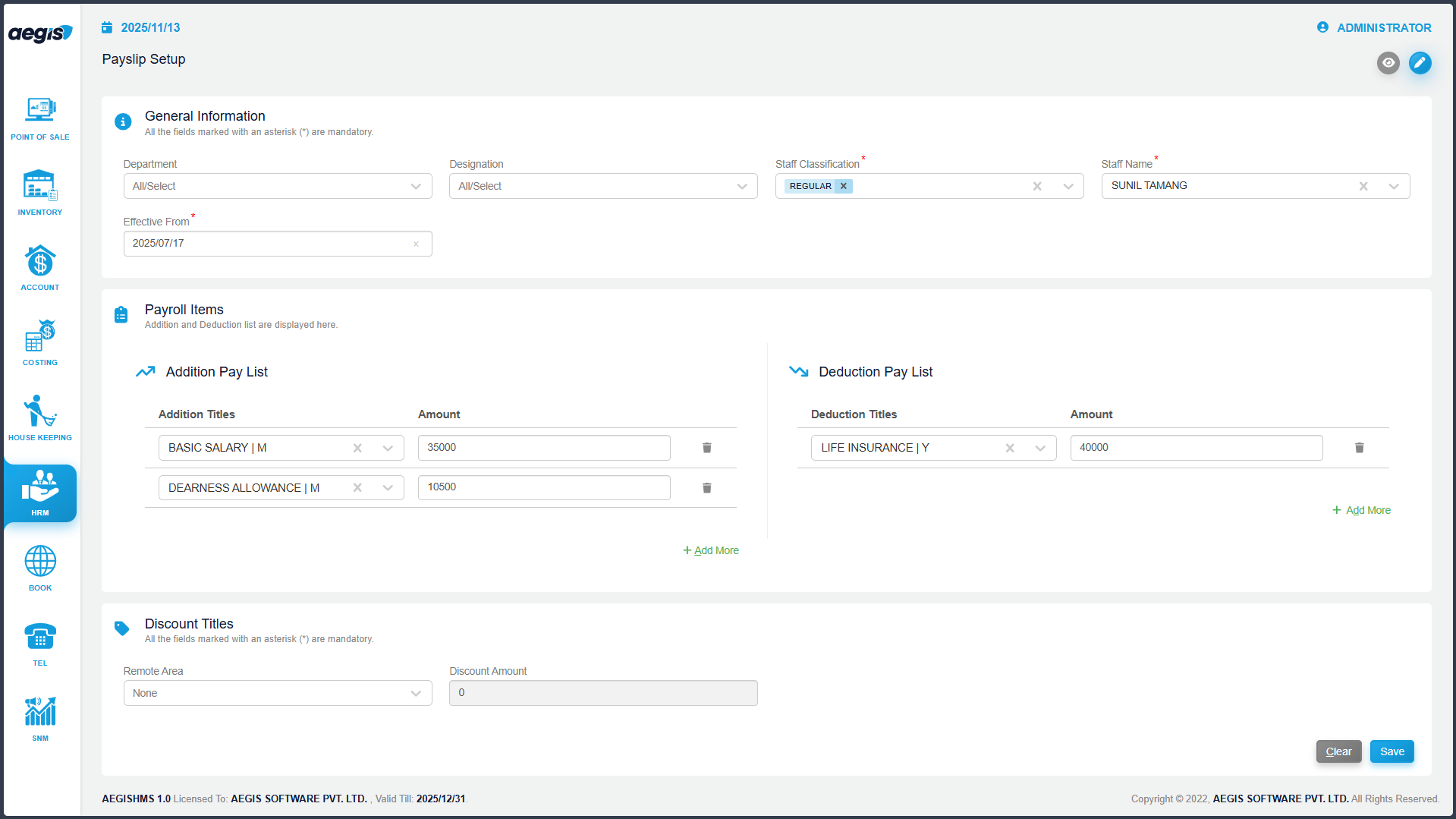
To create a new payslip structure or update an existing one:
Manage Payslip Structures
To manage or edit an existing payslip structure:
-
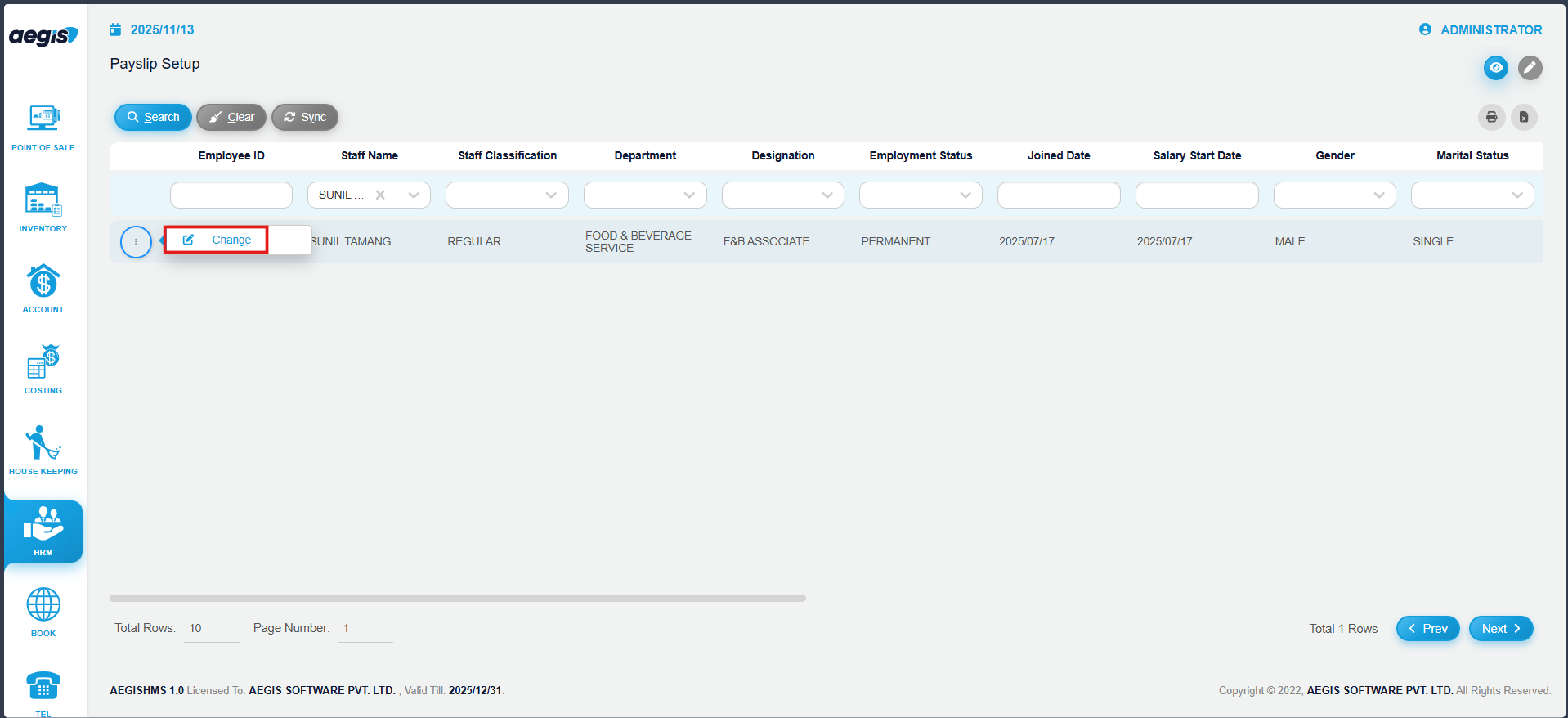
Search for the staff member using the search filters
-
Click the three-dot menu on the left side of the staff row
-
Choose Change to edit addition/deduction heads or tax-related settings
-
Save changes by pressing CTRL + S
Note: Any updates to a payslip structure immediately affect payroll calculation for the selected staff member.
No Comments