Message
MESSAGE Management
InThe MESSAGE feature in Aegis Software,PMS theprovides "MESSAGE"an icon likely refers to the internal communication system used for managing notifications, alerts, orand staff messages within the platform. It couldhelps beusers usedstay for:updated on important tasks, approvals, and system activities.
Typical uses include:
-
NotificationsNotifications::Alerts related to gate pass updates, systemmessages,events, or securitynotices.notices -
MessagesInternal Messages::Communication betweenstaffdepartments ordepartmentsstaff regardingrequests, approvals,requests orissues.issues -
RemindersReminders::ImportantUpdatesupdates onabout pending actions, deadlines, ortasks.tasks
View Existing Messages
To manage system messages:
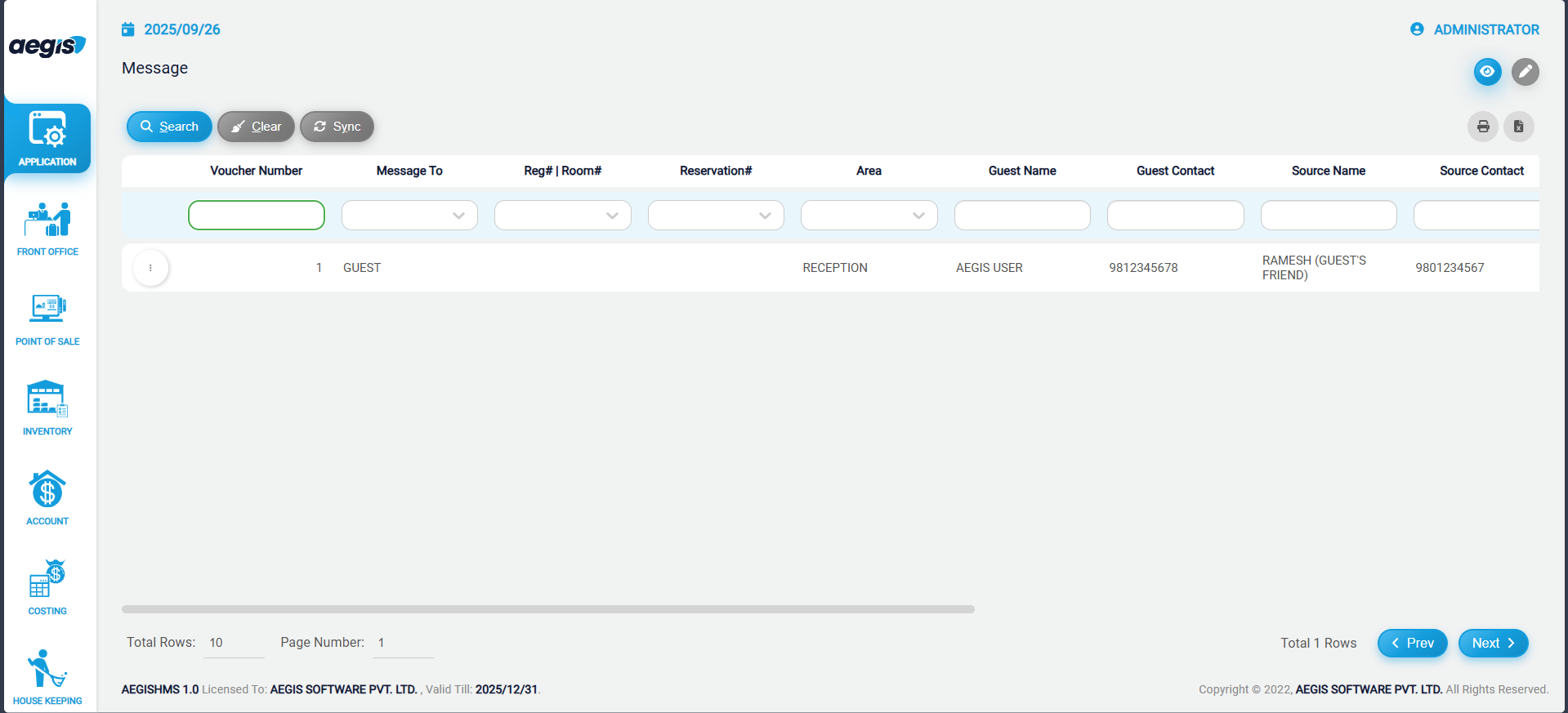
On this screen, you can see all messages that have been created and are still unattended.
You may use the available search fields to filter messages.
Add a New Message
To create a new message:
-
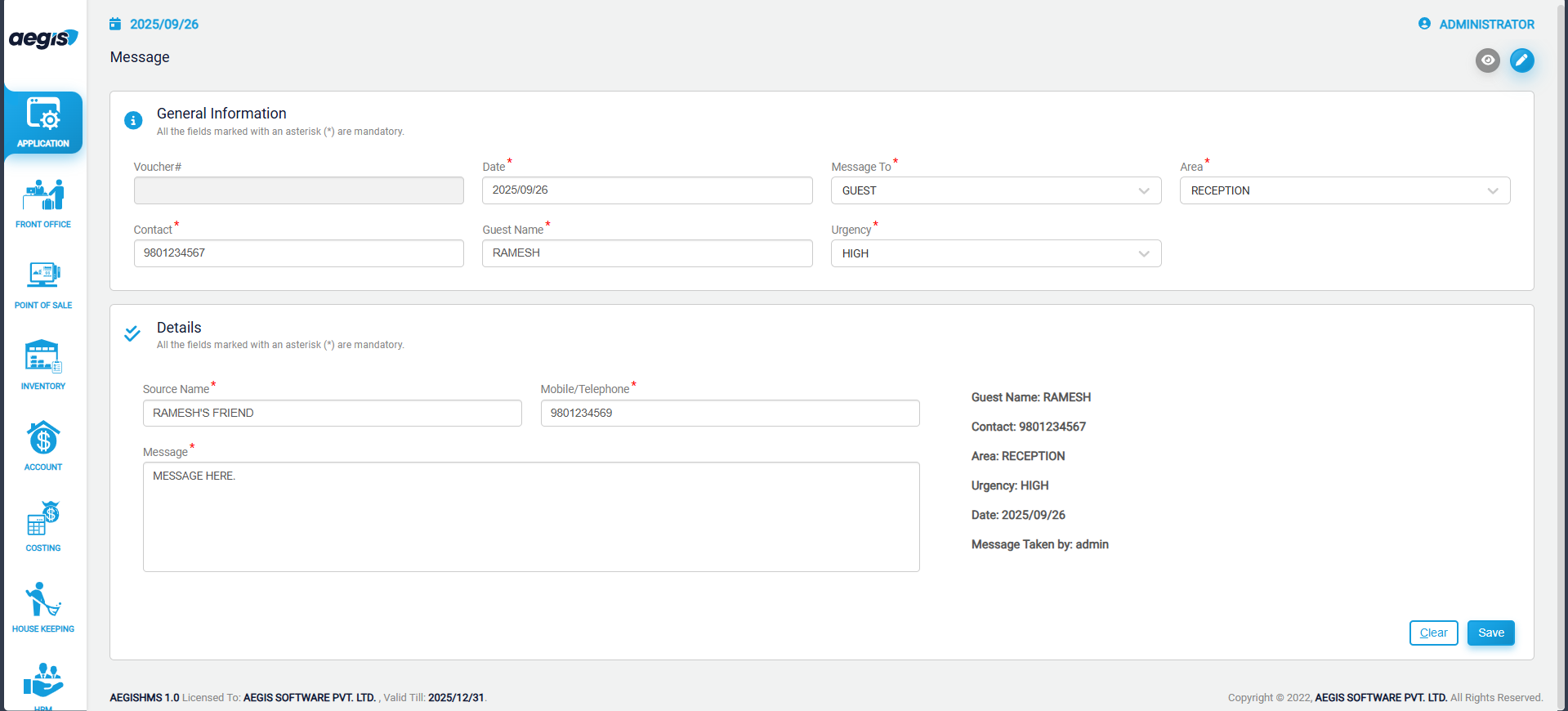
Click the pencil icon or press ALT + 2
-
Enter the required information
-
Save the message
Attend a Message
After a message has been addressed:
-
Search for the message using the search filters
-
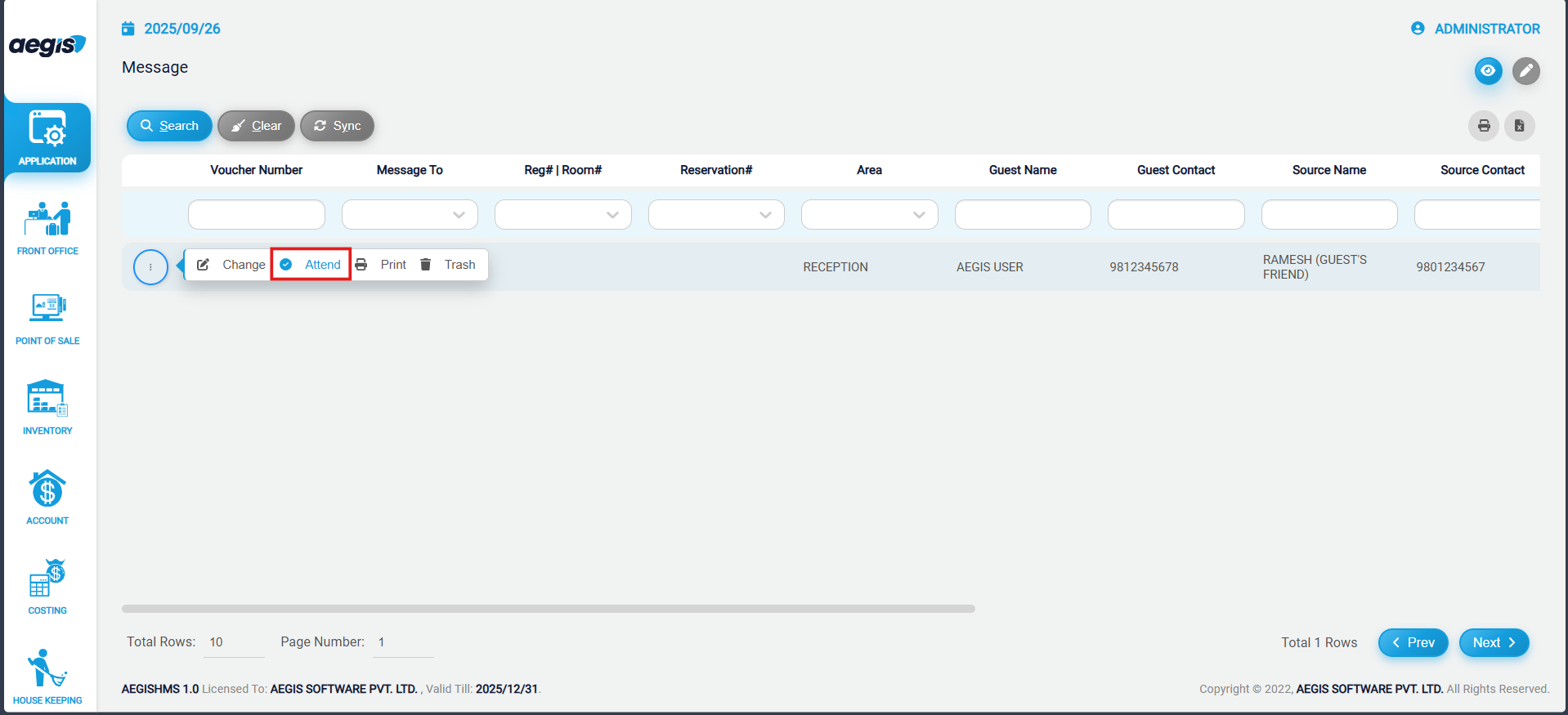
Click the three-dot menu on the left side of the message
-
Select Attend
The message will then be marked as attended.