
Complaint Report
Complaint Report
InThe Complaint Report in Aegis Software, the "COMPLAINT REPORT" icon likely refers to a feature thatSoftware allows users to generate,view view, orand track reports related to complaints filedsubmitted within the system. ThisIt couldhelps bemanagement usedmonitor for:complaint status, types, and resolution progress.
Purpose
ViewingComplaints: Accessing a list ofView complaints
that have beensubmitted by employees, clients, orcustomers.customersGeneratingReports: Creating detailed reports on the status, types, and resolution of complaints for review by management or other departments.Tracking Resolution: Monitoring theTrack progress
of complaintsfrom submission toresolution,resolutionensuring-
issuesGenerate
aresummariesaddressedforinmanagementareviewtimely manner.
Access
You will see the followingreport screen.screen Afterwith that, at first select the specific usersearch and thenfilter date to see all the activities of that user.options.
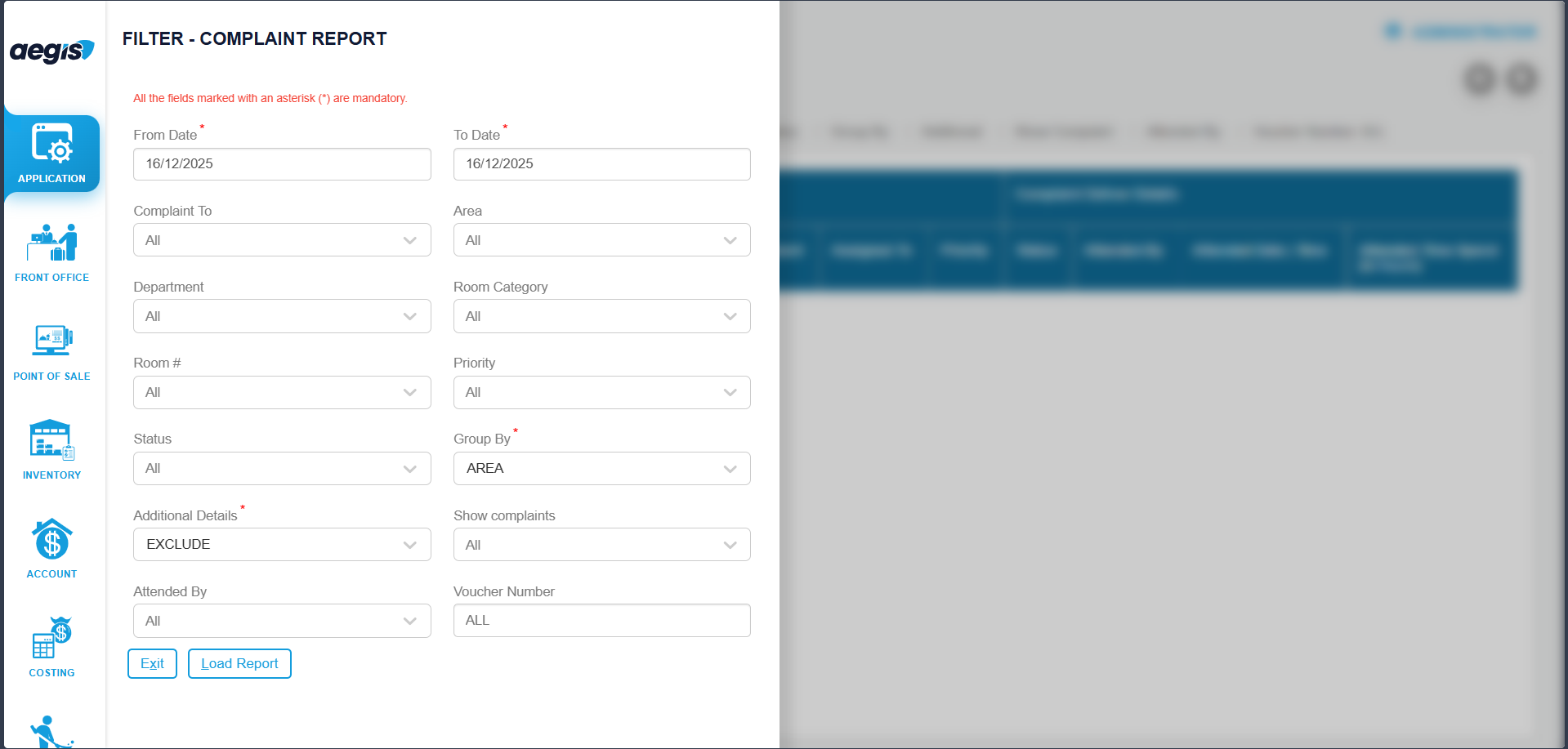
Filter & Load Report
-
Select User: Choose the user who filed the complaint
-
Select Date / Date Range
-
Click Search or press ALT + L
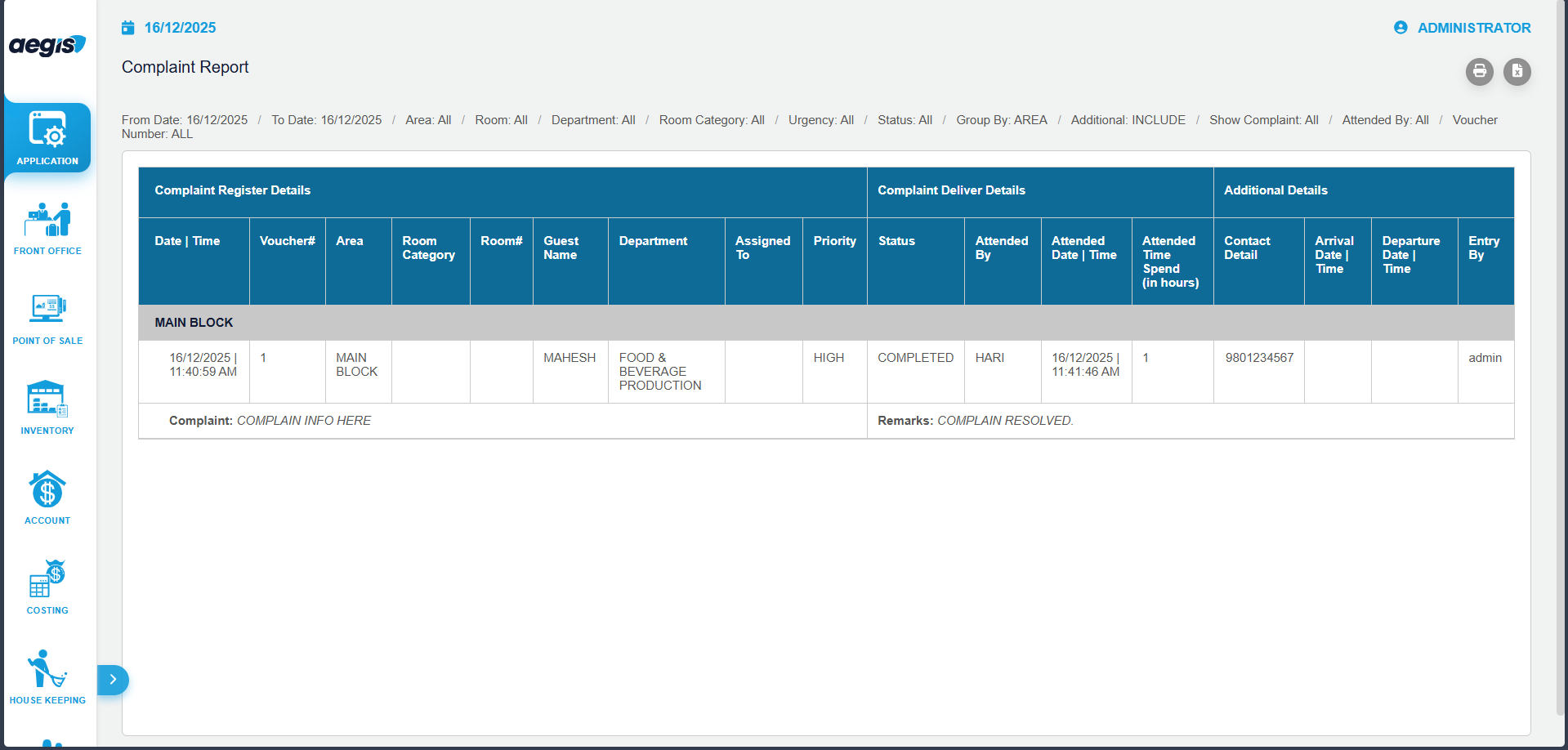
Report Output
-
Complaint Date & Time
-
Complaint Type / Category
-
User / Employee
-
Status (Pending / In Progress / Resolved)
-
Assigned Department or Staff
-
Resolution Remarks
Important Notes
-
Read-only report; complaints cannot be added or edited here
-
Access limited to authorized users
-
Useful for monitoring, follow-ups, and audits