
Bill Header Update
InBill Header Update
The Bill Header Update feature in Aegis Software, the "BILL HEADER UPDATE" icon likely refers to a feature thatSoftware allows authorized users to update or remove the updateCompany Name displayed in the header informationsection onof billing documents orand invoices. This couldensures involve:that invoices reflect the correct company identity for printing and official use.
This module is specifically used for:
-
EditingUpdating / Removing Company Name: Modify orUpdating Invoice Details: Adjustingremove theheadercompanyinformationnamesuchshownasonthebillclient’s name, billing address,and invoicenumber,headersdate, or other key identifiers. -
CustomizingEnsuringHeaderAccuracy:Format:MaintainModifyingcorrectthecompanytemplatenameor format useddisplay forbillbilling,headers to align with company standards or client preferences. Ensuring Accuracy: Making sure the correct details are displayed for billingaccounting, andpaymentauditpurposes.purposes
Access Bill Header Update
To update the bill header company name:
ToNavigate manage SHIFT CLOSE, go to to:
Application >>→ Tools >>→ SHIFTBill CLOSE.Header Update
You will see the followingBill Header Update screen.
Click on ‘SHIFTthe CLOSE’Bill icon.Header Update icon to open the module.
Update Company Name
To edit the company name:
-
Locate the required bill using the available search options
-
Select the bill from the list
-
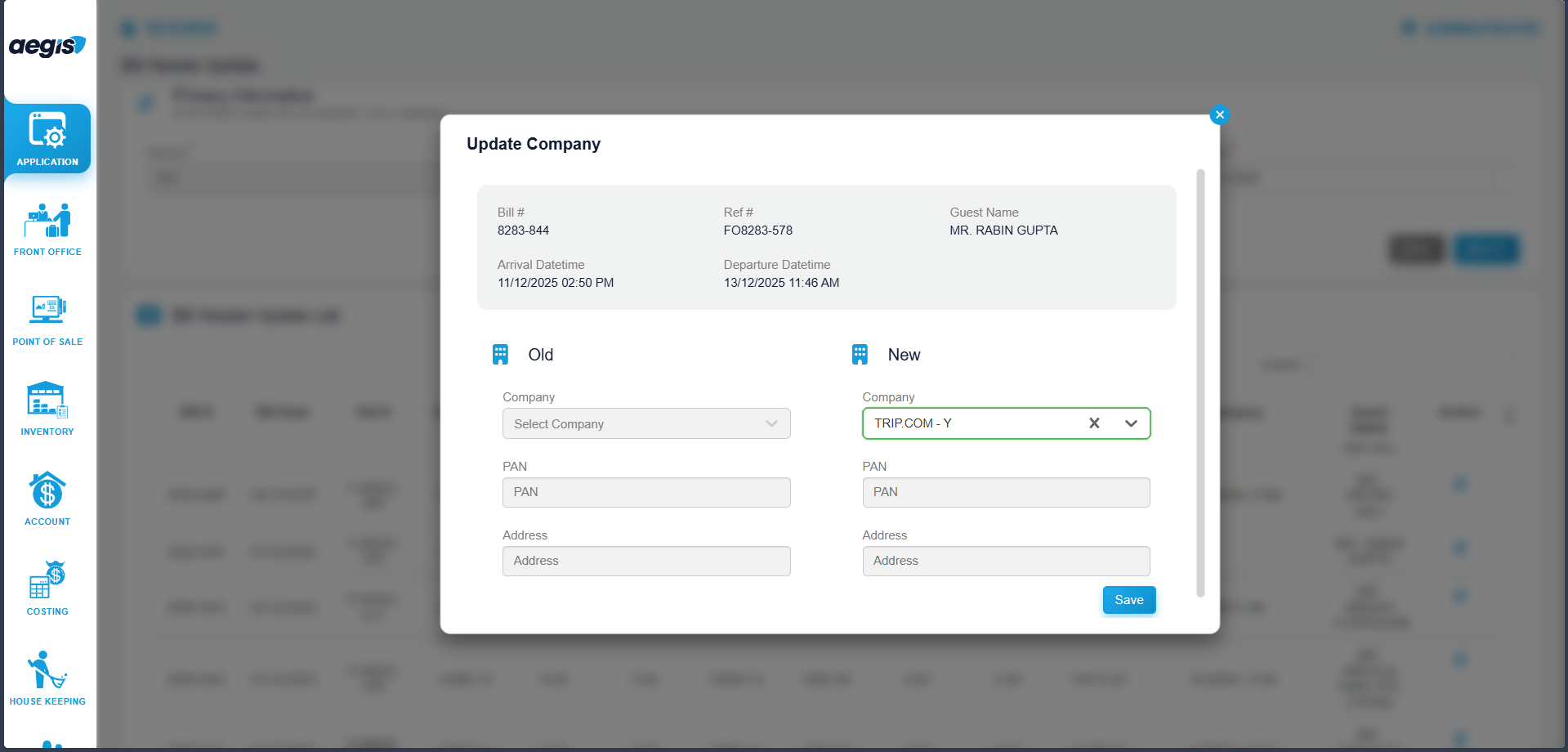
Edit the Company Name field (this is the only editable field)
-
Save the changes
The updated company name will be reflected in the bill header during printing and reporting.
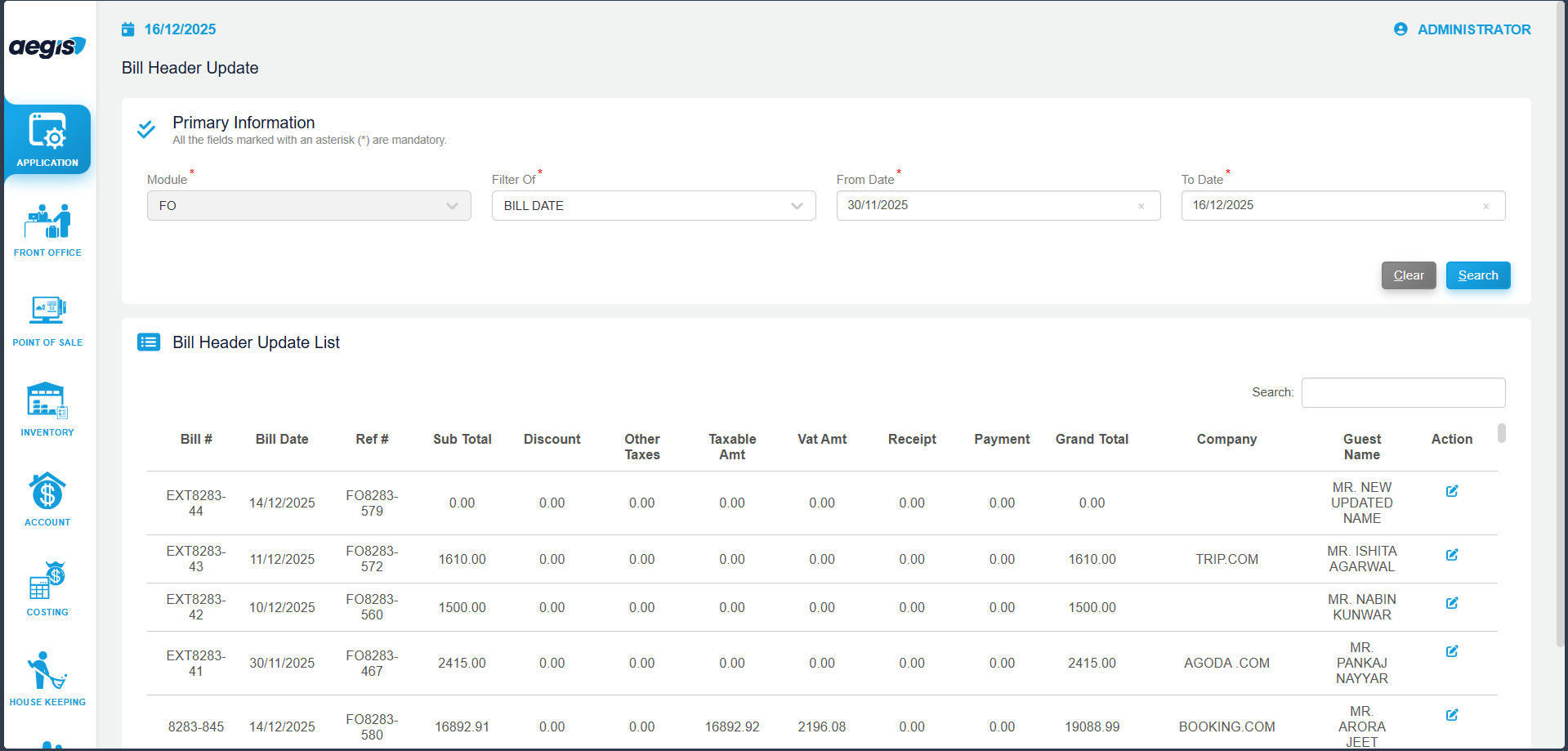
Click On Edit Icon then -
Important Notes
-
Only the Company Name field is editable in this module
-
Other bill header details cannot be modified
-
Changes affect invoice printouts and official billing documents
-
Access to this feature should be limited to authorized users only.