
Activity Log
Activity Log
The AnActivity activity logLog in aAegis PMSSoftware records and tracks theall significant actions and events that occurperformed within the project management system. It provides a detailed history of user activities, includingenabling tasksadministrators completed,to changesmonitor made,system usage, review changes, and communicationsmaintain exchanged.a The activity log helps in tracking progress, identifying issues, and maintaining anreliable audit trail for accountability and transparencytransparency.
The Activity Log is commonly used for:
-
Tracking User Actions: Monitoring actions performed by users across different modules
-
Audit & Compliance: Maintaining a system-wide activity history for review and verification
-
Issue Investigation: Identifying when and by whom specific changes were made
-
Operational Transparency: Ensuring accountability across departments and users
Access Activity Log
To view system activity logs:
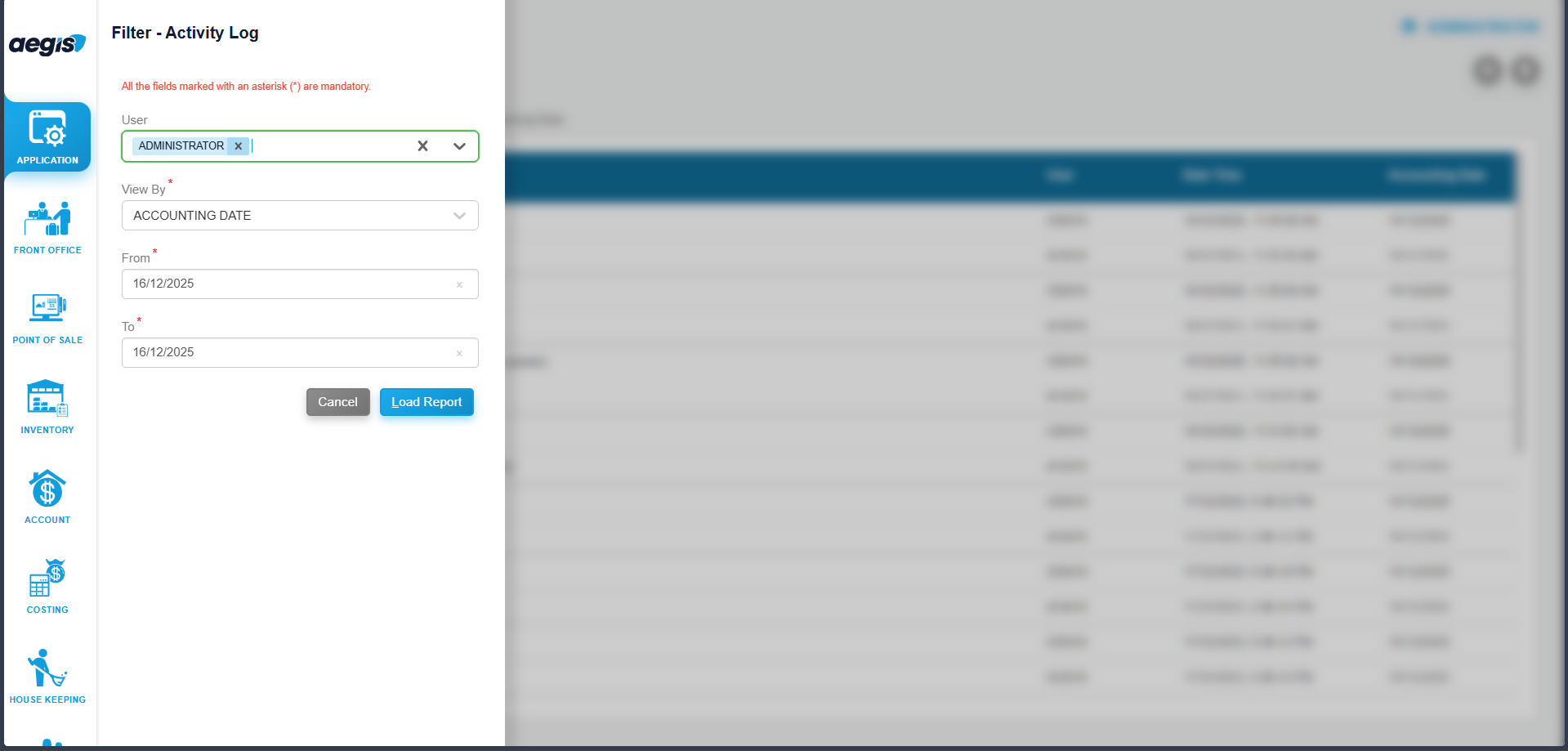
To see activities of all the users, go to Application >> Report >> Activity Log. You will see the followingActivity screen.Log Afterscreen that,with atavailable first select the specific usersearch and thenfilter dateoptions.
View theUser Activities
To view activities of thata user.specific user:
-
Select the User from the user selection field
-
Choose the Date Type:
-
Accounting Date, or
-
System Date
-
-
Select the Date or Date Range
-
Click Search or press ALT + L
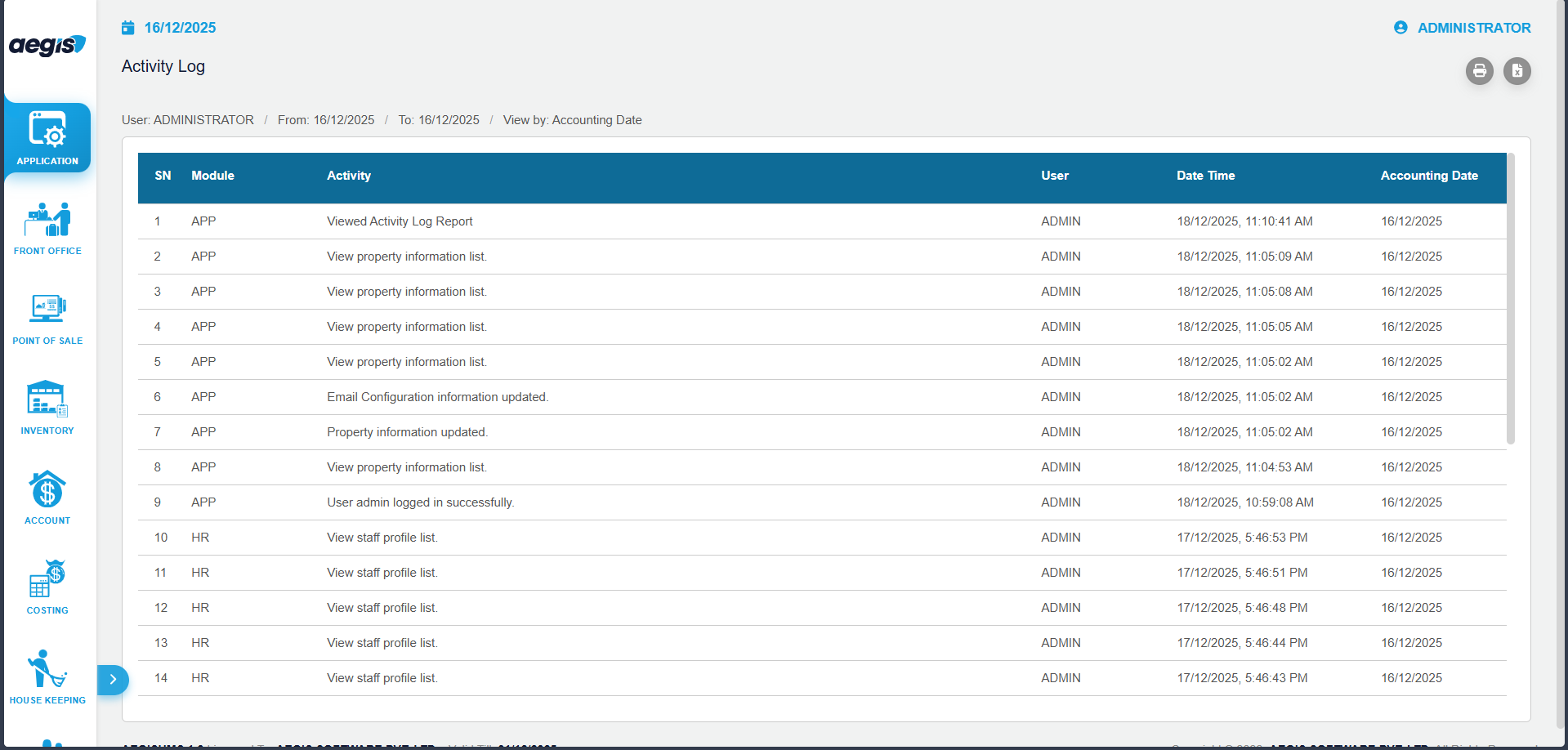
The system will display all recorded activities performed by the selected user within the selected period.
Activity Log Details
The Activity Log typically displays the following information:
-
-
Date and Time of Activity
-
Module / Screen Name
-
Action Performed (Add, Update, Delete, Login, Logout, etc.)
-
Reference or Transaction Details
Important Notes
-
Activity logs are system-generated and cannot be edited or deleted
-
Access to this report is restricted to authorized users only
-
Logs are useful for audits, troubleshooting, and internal system reviews