
Payroll Posting
Payroll Posting (Transaction – Posting Salaries)
The Payroll Posting module in Aegis PMS allows administrators to process salaries for staff members. It provides a structured workflow to calculate payroll, adjust salary components, apply tax rules, and generate payslips.
Location:
HRM → Transaction → Payroll Posting
Access Payroll Posting
-
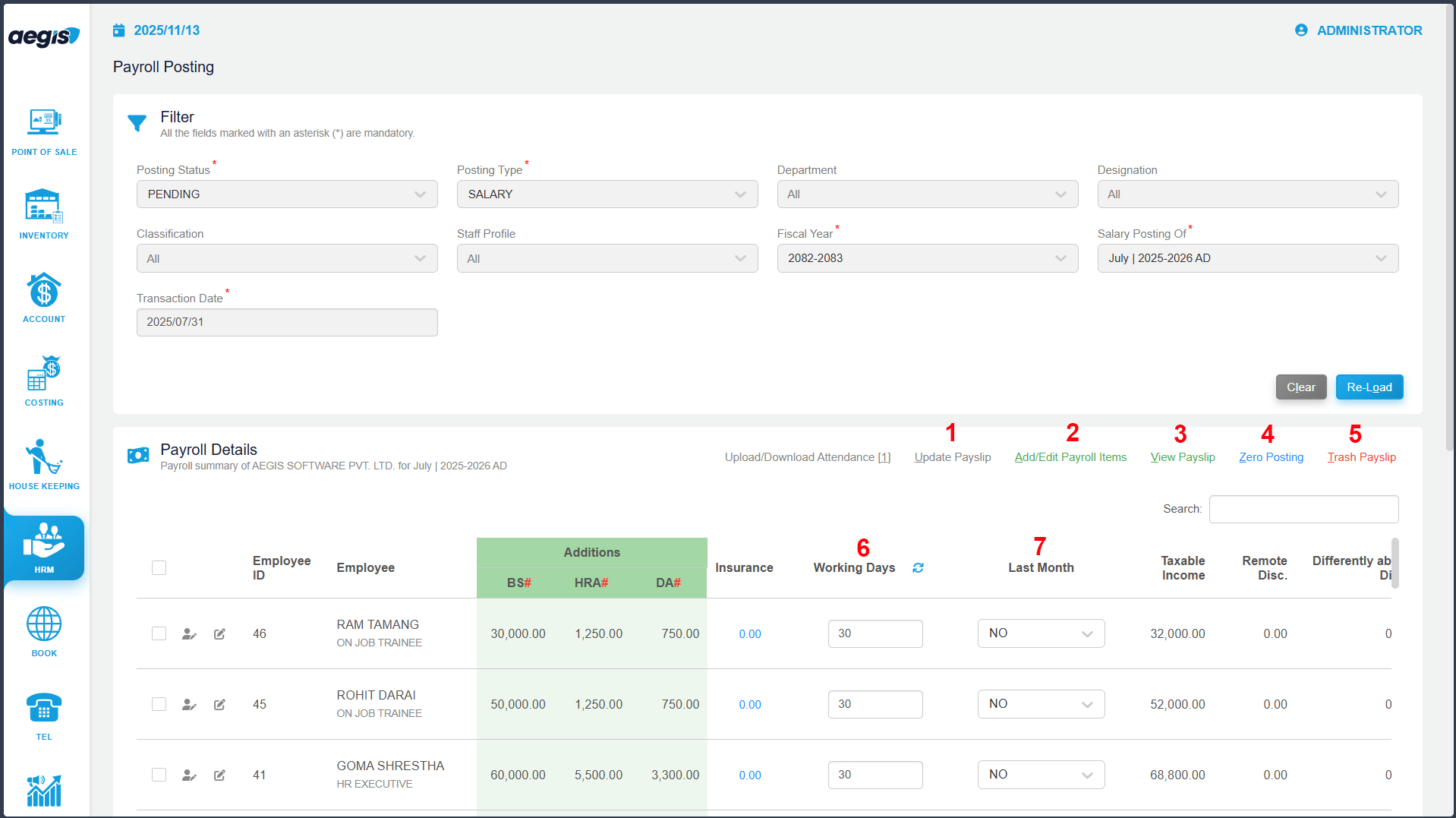
- Posting Status: Select Pending, Posted, or Draft
- Posting Type: Select Salary or Wage
- Optional filters: Department, Cost Center, Staff Classification
- Staff Selection: Choose Single, Multiple, or All Staff
- Fiscal Year & Salary Post Month: Select applicable fiscal period
- Transaction Date: Defaults to month-end but can be customized
Key Features
1. Update Payslip
Update a staff’s payslip structure without navigating to the Payslip Structure setup.
2. Add/Edit Payroll Items
Add special one-time additions or deductions (e.g., Advance Salary):
-
Select staff → Click Add/Edit
-
Choose the payroll head
-
Enter the value
3. View Payslip
Preview an individual payslip before posting to ensure correctness.
4. Zero Posting
For staff who join mid-fiscal year:
-
Post “zero” salary for non-working months to prevent incorrect TDS calculation.
5. Trash Payslip
Delete draft or posted payslips:
-
Posted payslips can only be trashed if the voucher is not generated
-
Trashed payslips move to Draft status
6. Working Days
Enter the staff’s attendance days for the month to calculate pro-rata salary.
7. Last Month = Yes
-
Marks the salary as the final post for the fiscal year
-
TDS adjustments are automatically handled for staff leaving mid-year
Draft & Posting Workflow
-
Save as Draft: Prepare payroll but post it later
-
To post a saved draft:
-
Set Posting Status = Draft
-
Load the draft
-
Click Post
-
Additional Options
-
Payroll Details: View detailed breakdown of the current payroll post
-
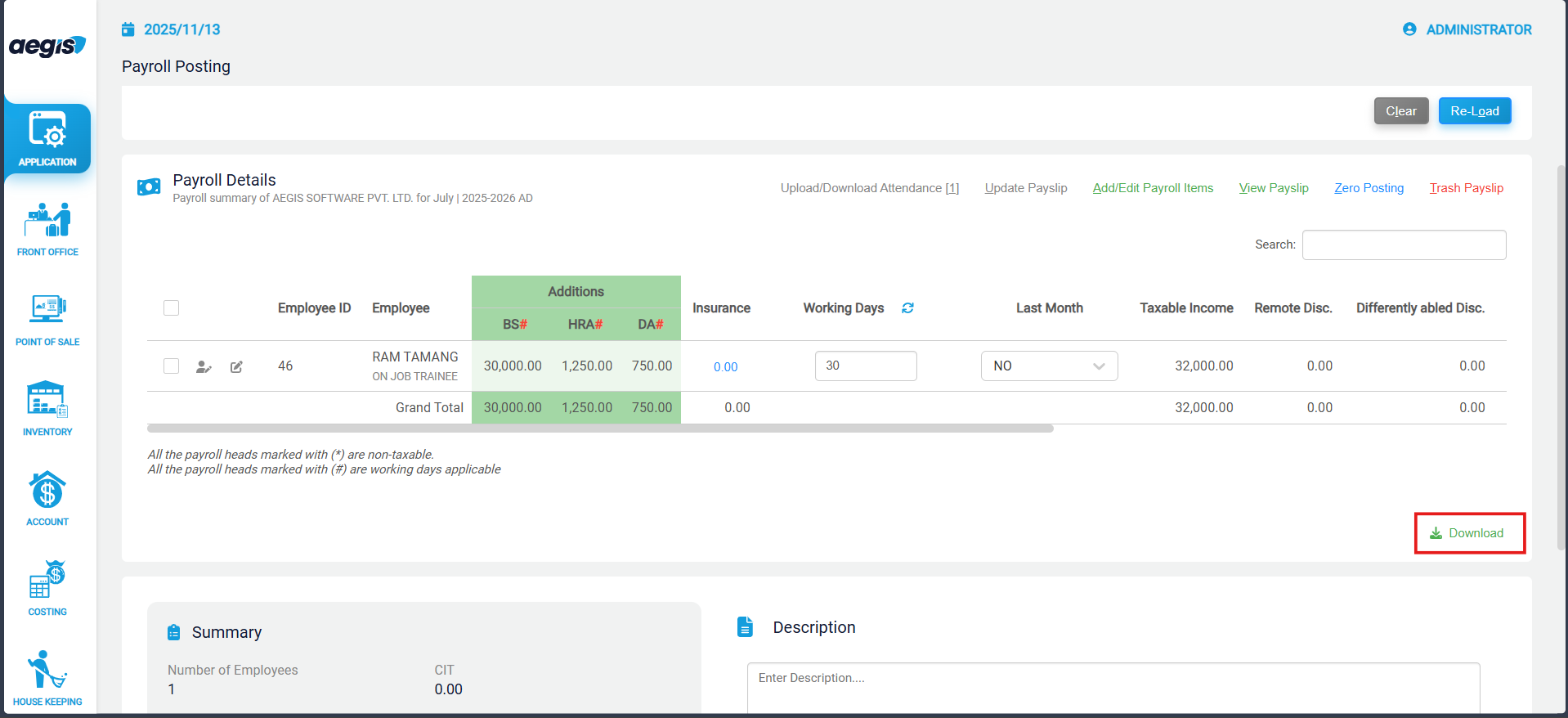
Download: Export selected staff payslips to Excel
-
Summary: View totals for Salary, Tax, and Deductions for reporting purposes
Automatic Tax Calculation Logic
Payroll tax is automatically calculated based on multiple inputs:
| Setup Area | Fields Considered |
|---|---|
| Staff Profile | Gender, Marital Status, Disability |
| Payroll Head | Taxable (Yes/No) |
| Payslip Structure | Remote Area selection |
| Payroll Posting | Working days, custom adjustments |
| Other | SSF, PF contributions |
Note: Correct setup in all areas is essential to ensure accurate tax computation.